
Contents
- 1. Quick Capture: Start With One Inbox
- 2. Knowledge Management & Local File Ownership
- 3. Automation: Prove the Trigger Before Adding Actions
- 4. Expanding to the Desktop: Multi-Window & DeX Workstations
- Backup and Recovery Before Replacing a Workflow
- When this does not apply
- Frequently Asked Questions
- Why does my profile not do anything?
- What if there is a conflict?
- Is Syncthing my ideal backup application?
A sync deletion after you move the only notes folder costs the capture you cannot repeat. The essential Android productivity set is one capture app, one notes store, and a backup that sits outside any sync folder.
The essential Android productivity apps are the ones that keep a single job: one inbox for capture, one notes store you can reopen from a copy, and automation only after the trigger has already fired. A second notes app splits the sample you just wrote. A Tasker profile that changes a setting before Flash has appeared applies that setting on an unproven trigger. Pixel’s cable page describes a mirror of the whole screen, which is the wrong dock if you wanted separate windows. Syncthing’s own FAQ says a deletion in the shared folder reaches every peer, so the backup is the copy that folder does not contain. The steps below follow imsodin’s Syncthing forum post from 20 October 2024, the Syncthing-Fork README, Tasker 6.6.18 notes from 5 February 2026, Shizuku’s setup manual, and the Pixel and Samsung display pages fetched on 18 October 2026.
Unknown calls that break that job stay inside the Phone app already on the device. The steps are in block spam calls and robocalls without a paid app.
Scroll horizontally to view all table columns.
| Job | What you use | Condition the docs name | Dominant failure mode and prevention |
|---|---|---|---|
| Capture | The notes app already installed | You can close it and reopen one sample | A second inbox hides the note. Prevention: add an inbox only after the first app fails a search you still need. |
| Notes store | One store | A copy opens from outside the sync folder | Moving the live folder first. Prevention: migrate a disposable copy. |
| Folder sync | Syncthing-Fork, after the official app’s retirement notice | A second device and a folder you can afford to conflict | A deletion propagates. Prevention: keep one copy the shared folder does not contain. |
| Automation | Tasker, optional Shizuku | Flash appears when Shizuku Available becomes active | A settings change on an unproven trigger. Prevention: stop at Flash until the reboot retest passes. |
| External display | Pixel 8 or later cable path, or DeX where that device enters it | The maker’s page matches the cable or the session | A mirror, or a fixed window, bought as a free desktop. Prevention: read that page before you pay for a dock. |
1. Quick Capture: Start With One Inbox
Write one note in the app you already use, close the app, and find that same note. Add another inbox only when that search fails for a capture you still need.
Scroll horizontally to read the labels in this diagram.
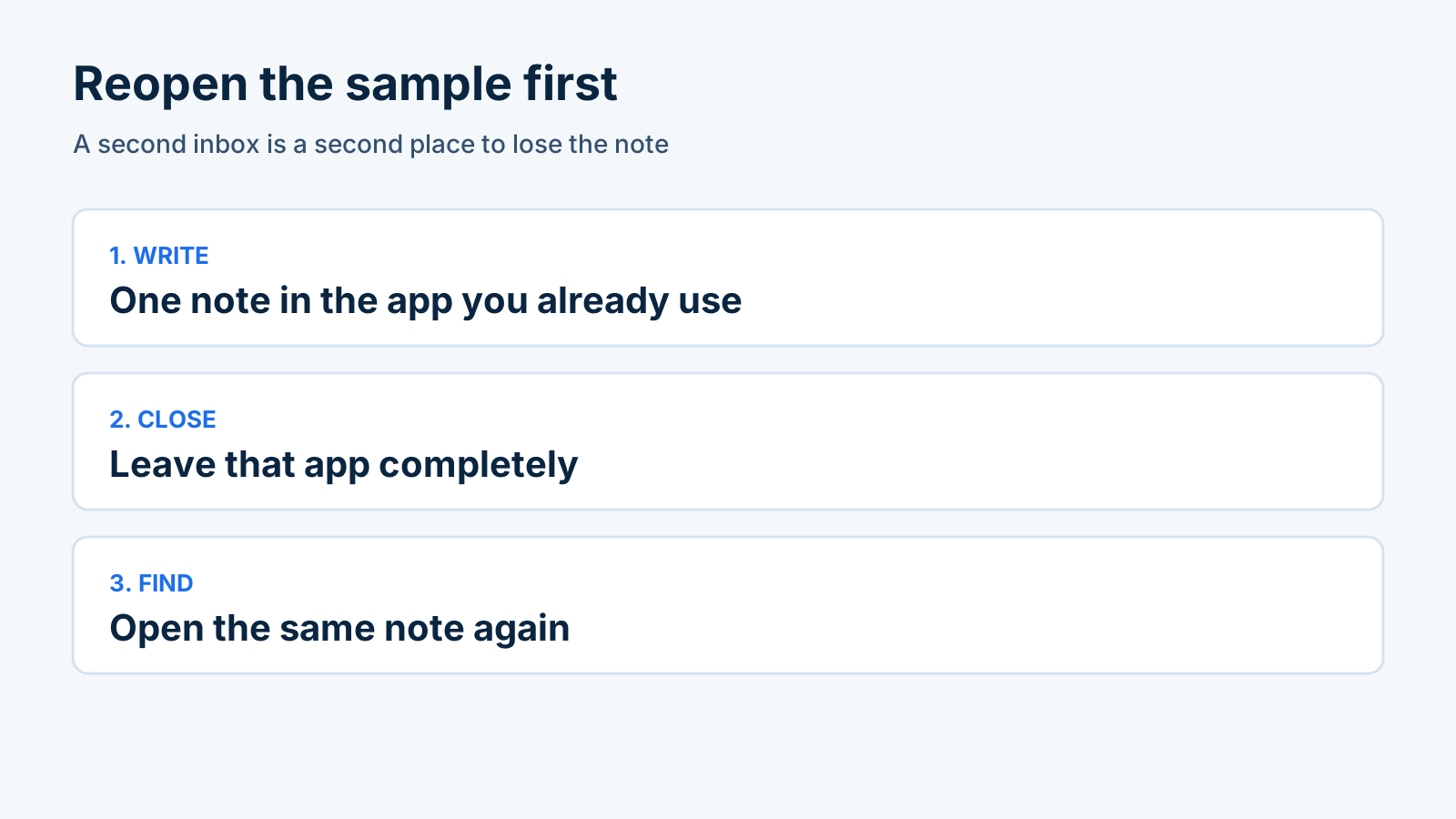
Reopen one sample in the same app before a second inbox exists.
- Pick the notes app that is already on the phone. Do not install a second one for this check.
- Write a short note you will recognize, including one word you can search.
- Leave the app. Open it again from the home screen and find that note.
- If the note is there, this app is the inbox. Later tools send captures here.
- If the note is missing, fix that app’s save path before you add another inbox.
The home screen is a separate problem from the inbox. When the icon grid is what you open without deciding, compare the published layouts in Niagara Launcher and Olauncher before you add an app to solve a layout.
Takeaway: The inbox is the app that reopens the sample, not the newest install.
2. Knowledge Management & Local File Ownership
Keep the notes in one store, and open a copy that sits outside any sync folder before you aim a sync client at the real notes.
Compare Obsidian and Google Keep on capture, storage and sync before you choose the store. For a smaller install, use the three F-Droid apps sorted by podcasts, a password file, and files. Passwords are a different store: compare Bitwarden account recovery with a KeePassDX file you keep. Once you pick your core browser, password vault, and PDF reader, lock their system roles and deep-link bindings in how to change and reset default apps on Android.
For a folder that must stay in step across a phone and a computer, the Android client question changed in 2024. On 20 October 2024, imsodin posted in the Syncthing forum that he is retiring the official Android app. The last release on GitHub and F-Droid was planned to ship with the December 2024 Syncthing version. He named Google Play publishing and the lack of active maintenance as the reasons. The fetched thread is closed.
The wrapper you fetch today is a different page. The Syncthing-Fork README at researchxxl/syncthing-android calls the project a Syncthing wrapper for Android, says it was forked from syncthing/syncthing-android, and lists Catfriend1, imsodin, and nutomic as former maintainers. It tells you to take builds from the releases section or from F-Droid, and it points to a wiki article for switching off the deprecated official version. The saved README does not print a release number, so this guide does not either. Open that releases link or the F-Droid badge on the README before you install.
Opening a Windows PC or NAS share is a different job. Compare Android file managers that connect to SMB. A share copies a file when you ask for it. A sync folder pushes creations, edits, and deletions to the other peers, which is the behavior in the Syncthing FAQ.
Before the real notes folder moves, copy it to a disposable location and open that copy in your file manager. Then follow the Syncthing pairing and conflict rehearsal on an empty folder, not on the only copy.
Takeaway: One notes store, plus a copy the sync client does not scan.
3. Automation: Prove the Trigger Before Adding Actions
Shizuku Available is the trigger, Flash is the only action, and a reboot is the retest. Add a setting change only after that sequence has fired.
Scroll horizontally to read the labels in this diagram.
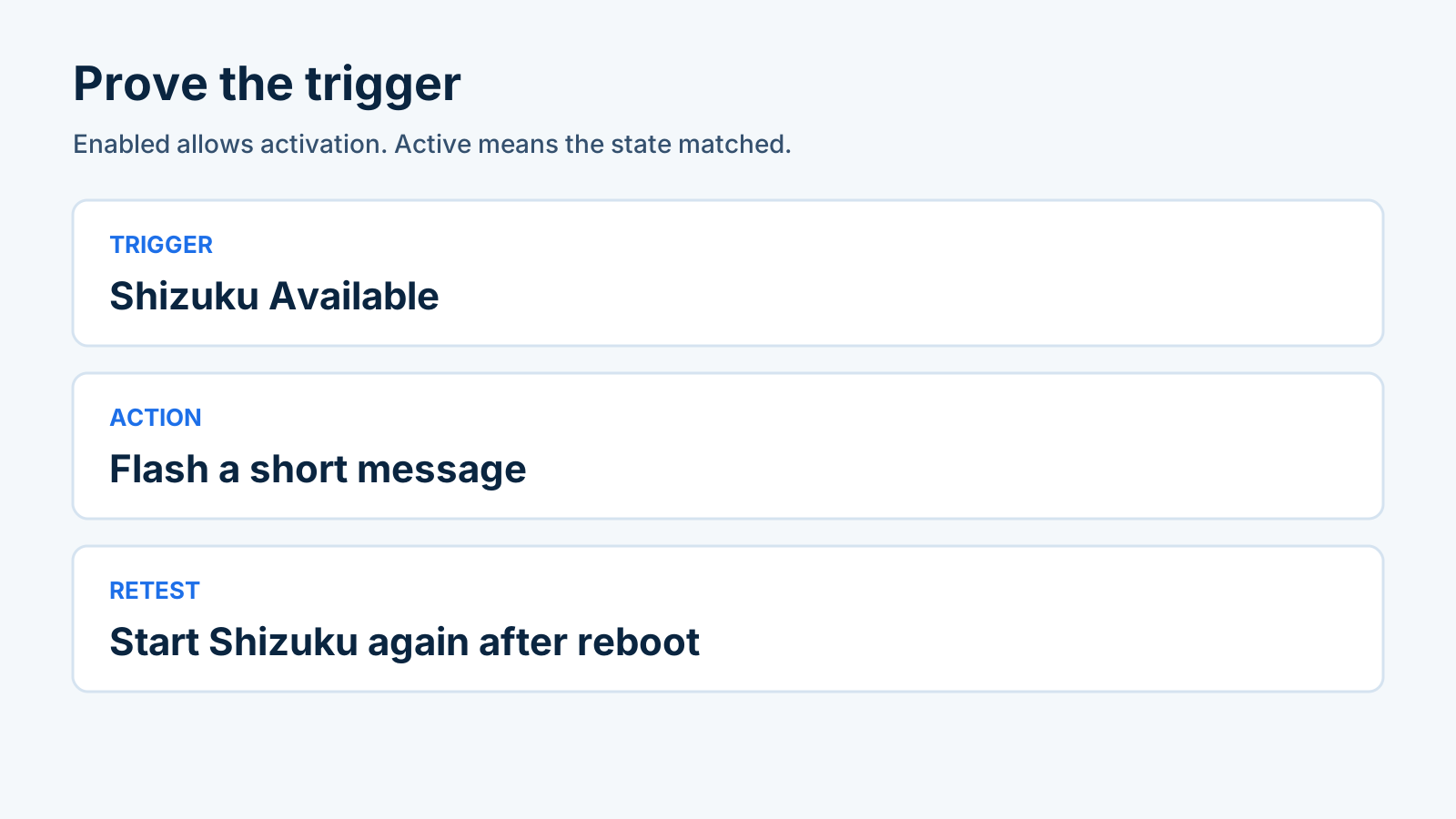
Enabled allows the profile to activate. Active means the state has matched.
Rule of thumb. If Android is below 11 and the phone is not rooted, skip wireless debugging startup. Shizuku’s manual says wireless debugging startup works on Android 11 or above, needs no computer, and has to be started again after every reboot. The computer path on the same page is for unrooted phones on Android 10 and below, and that startup also repeats after a reboot. Pairing is documented as once.
- In Tasker, open Menu, then Data, then Backup. The main screen guide says Backup saves existing user data to a backup file on external storage. Keep that file. The usage FAQ later suggests deleting other profiles to isolate a failure, so do not delete profiles until this backup exists somewhere you can restore.
- For wireless startup, use Android 11 or above. The Shizuku manual tells you to look up Developer options for your model, then enable Developer options and USB debugging. Enter Wireless debugging, enable it, tap Pair device with pairing code, and enter the code in Shizuku’s notification. Start the service. If it does not start, disable and enable wireless debugging, which is the manual’s next step.
- Add a profile: State, then Shizuku Available. Tasker’s 6.6.18 notes, dated 5 February 2026, say this state checks that Shizuku is installed, running, and permitted. The state help says the state is active when Shizuku is up, its service is enabled, Tasker can run in it, and the connection succeeds.
- Attach Alert, then Flash, with a short message you will recognize. Flash is a message on screen, less intrusive than a popup, and you can still interact with the app underneath. The same page says that disabling notifications for Tasker in Android settings also prevents Flash on some devices, and that Android 12 and later limits too many toasts in a row. Use one message. If Flash never appears and Tasker’s notifications are off, use the Android notification checks.
- Leave the profile enabled. The main screen says the on switch means the profile can become active. It does not mean the profile is already active. The profile name is green when it is active. Confirm that color while Shizuku is running. Reboot, start Shizuku’s wireless service again, and confirm the profile becomes active again.
- If nothing happens, use the usage FAQ in this order: confirm the profile is enabled, confirm you pressed the On control before leaving Tasker, and open Menu, then More, then Run Log. Try Flash by itself. Stop there if the log does not show the task.
The 6.6.18 notes list setting actions that use Shizuku when it is available, including airplane mode, Wi-Fi, Bluetooth, and several others. Leave those off this profile until the Flash retest has succeeded. Switch the profile off to roll it back. Flash writes no file.
Everyday triggers, with an exit as well as an entry, are the next page: beginner Tasker routines for Wi-Fi, meeting times, location, and car Bluetooth.
Common mistake: Treating the enabled switch as proof the trigger fired. The switch permits the profile. The green active name, the Flash, and the Run Log are the proof.
Takeaway: One Flash, then a reboot, before any action that changes a setting.
4. Expanding to the Desktop: Multi-Window & DeX Workstations
An external display is two different descriptions in the pages checked here. Pixel Help, for Pixel 8 and later, describes a mirror of the whole screen or a slide presentation. Samsung’s DeX overview describes a PC-like session with more than one window.
For two apps on the phone itself, follow the device-specific steps in split screen and app pairs on Android before choosing an external-display workflow.
Scroll horizontally to view all table columns.
| Path | What the page requires | What it does | Dominant failure mode and prevention |
|---|---|---|---|
| Pixel cable | Pixel 8 or later, and a display that supports DisplayPort or HDMI to USB-C | Mirror the entire phone screen, or present slides with speaker notes on the phone | Buying the cable for free-floating windows. Prevention: the Pixel page describes mirror and project. Its tip says project works on Google Slides and does not extend that claim to other third-party apps. |
| Samsung DeX | A device that can enter DeX on a monitor, TV, or PC. The overview does not list 2026 models. | A PC-like session, multiple apps, drag and drop, copy and paste, and Alt+Tab. An app that was not adapted still launches in a fixed-size window. | Drafting in an app that stays fixed-size. Prevention: resize that app in DeX before you leave the phone screen. |
| Phone glass only | Not printed on either page | Two apps on the phone display, with no cable | Buying a dock to get a layout the phone already has to provide. Prevention: stay on the phone until the model’s own page prints the split. |
Pixel’s cable steps, from Project your Pixel phone’s screen:
- Use Pixel 8 or later.
- Use a display that supports a DisplayPort or HDMI to USB-C cable.
- Plug the DisplayPort or HDMI cable into the display.
- Plug the USB-C cable into the Pixel.
- Select the Mirror display dialog on the phone and follow the on-screen instructions.
Mirror sends the whole screen to a monitor or TV. Project presents slides on the display and leaves speaker notes on the phone. For any phone other than Pixel 8 and later, this help page does not print the cable steps. Check that model’s own page before you buy a cable.
Samsung’s DeX overview says DeX mode casts a PC-like experience to a big screen, and that you can use it on a monitor, a TV, or a PC running Windows or macOS while the phone runs different apps, or use the phone as an input for the DeX session. On a tablet, the same page says a tap of the Quick panel switches to DeX. Apps that are not modified for DeX still launch, in a fixed-size window with limited function. Adapted apps can open together, expand to a full window, and take drag and drop plus Alt+Tab. The overview does not list current phone models. A sample file on that page is dated 5 July 2017, so treat the window behavior as that document’s description and confirm DeX on the device in your hand before you buy a dock.
Pixel Android and Samsung One UI are different software paths beyond the cable. The comparison of those two paths is the next page when you are choosing a phone.
Takeaway: Read the mirror dialog, or the fixed-window limit, before you pay for a dock.
Backup and Recovery Before Replacing a Workflow
Syncthing is not the backup. Its FAQ says it is not a great backup application because modifications, deletions, and other changes propagate to all of your devices. Versioning is mentioned there as an option, and the same answer still points you to other tools to protect data from mistakes.
Rule of thumb. If outside copies stay below 1, a deletion on the phone is a deletion on every peer in that folder.
Worked example. Assume one note exists in three places: on the phone, on a PC, and as an export on a drive Syncthing does not scan. The phone and the PC are inside the shared folder. The export is not.
Surviving copies = 3 - 2
The result is 1, the export. The two shared copies are the copies a propagated deletion removes. The inputs are assumptions for this count, not a measured storage size.
Scroll horizontally to read the labels in this diagram.
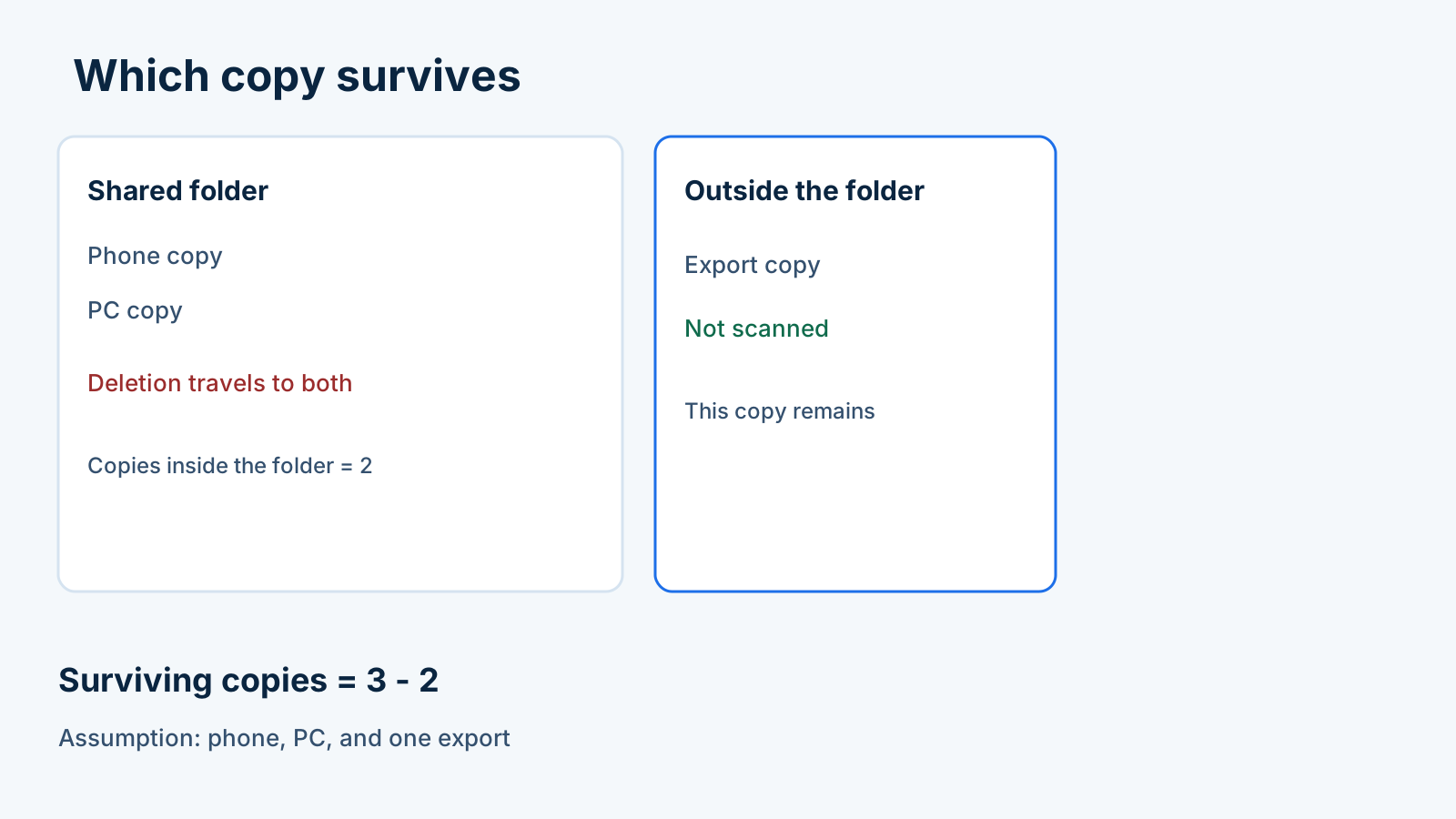
Phone and PC copies sit inside the folder. The export is the copy the formula keeps.
The hidden cost is the reconstruction after a propagated deletion, plus the repeat startup after every reboot for Shizuku’s wireless service. Neither shows up as a price on an app page. Photos, messages, and authenticator codes are a separate job: use the Android backup guide for photos, messages, and authenticator codes. Before taking the handset near pools, rain, or travel water exposure, run the dry barometer check in best waterproof phone cases and IP68 seal testing.
Restore check before you retire the old notes store:
- Copy or export the notes to a location outside the shared folder. Open that copy and find the known note.
- If a file was edited on two devices and the contents differ, Syncthing’s synchronization page renames one file to
<filename>.sync-conflict-<date>-<time>-<modifiedBy>.<ext>. The older modification time is the renamed file. If the times are equal, the file from the device with the larger value of the first 63 bits of its device ID is renamed. If a deletion wins against a modification, the kept bytes are also renamed into a conflict copy. Those conflict files then sync like normal files. Pause edits, keep both versions, and merge them on purpose. Rehearse that on a disposable folder with the Syncthing conflict steps. - For Tasker, switch the profile off. Use Menu, then Data, then Restore, and select the backup you saved. The main screen says Restore offers options for restoring backups of various types. Check the task, the profile, and the permissions before you enable the profile again.
When this does not apply
This page assigns a job to each tool. It does not score a best-app list, and it does not price a dock. Password files, launcher layouts, photo backup, and message backup stay on the linked pages.
Frequently Asked Questions
Why does my profile not do anything?
Confirm the profile is enabled, press the On control before you leave Tasker, and read Menu / More / Run Log. Tasker’s usage FAQ prints those checks and tells you to try Alert / Flash before you delete other profiles. The main screen separates an enabled profile from an active one: the switch permits activation, and the name turns green when the profile is active. For Shizuku Available, start the wireless service again after a reboot, because the Shizuku manual says that startup repeats after every reboot.
What if there is a conflict?
Syncthing keeps both differing copies by renaming one of them to a sync-conflict file, then syncs that renamed file to the other devices. Pause edits, keep the renamed file and the file that kept the original name, and merge them before you delete either one. The synchronization page says the older modification time is the one that gets renamed, unless the times match, in which case the larger device-ID value decides.
Is Syncthing my ideal backup application?
No. The Syncthing FAQ says it is not a great backup application because modifications and deletions propagate to every device in the folder. Open the copy that sits outside the folder before you retire the original notes store.
Sources & methodology12 sources
Evidence used for this article. Links open the original source in a new tab.
- Discontinuing syncthing-android — Syncthing Community Forum
- Syncthing-Fork repository README — researchxxl/syncthing-android (GitHub)
- Project your Pixel phone's screen — Google Pixel Phone Help
- Samsung DeX overview — Samsung Developer
- Tasker 6.6 release notes — Tasker
- Shizuku user manual — Shizuku
- Shizuku Available — Tasker
- Flash — Tasker
- Usage problems FAQ — Tasker
- Syncthing FAQ — Syncthing
- Understanding Synchronization — Syncthing
- Tasker main screen — Tasker
TasteOfAndroid is responsible for this page. The byline, method and commercial relationships are on the editorial policy and the author page.
Related Articles
Android Private Space Versus a Work Profile and Cloned Apps
Compare Android 15+ Private Space, Work Profiles, and cloned apps across user IDs, locked notification states, Photo Picker visibility, VPN bypass, and backups.
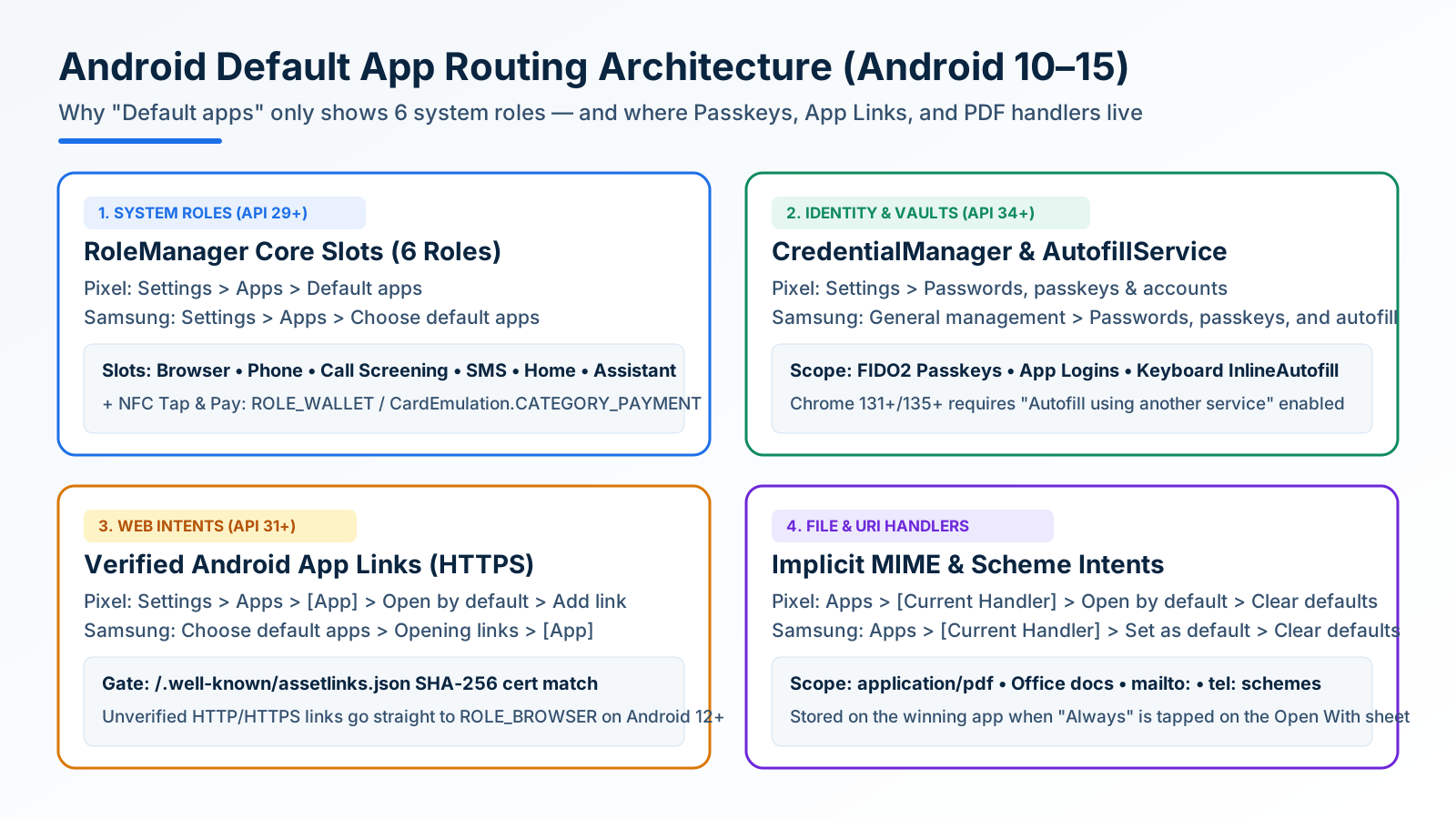
How to Change and Reset Default Apps on Android: Browsers, Passkeys, PDFs, and App Links
Looking only in Default apps fails when a wrong PDF viewer or browser hijacks links. Use Android's 4 routing menus to set browsers, passkeys, App Links, and MIME handlers.
Block Spam Calls and Robocalls on Android Without a Paid App
Use Filter spam calls, Pixel Call Screen, or Galaxy Text call. Google does not take numbers from your Contact list.