
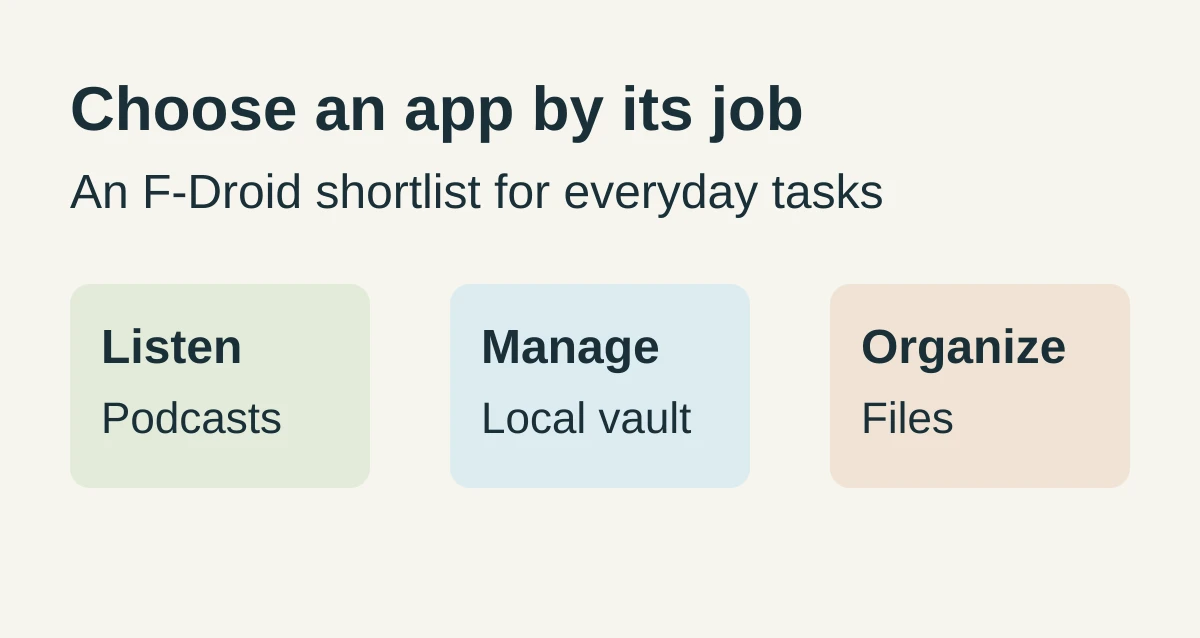
Contents
- AntennaPod: start with one feed and an export
- KeePassDX: decide how you will keep a recoverable vault
- Fossify File Manager: check access before moving important files
- Check maintenance and Anti-Features at download time
- Install from the official source, then close unused permissions
- Keep an update channel and a migration plan
- Frequently Asked Questions
- Why does an update fail after the APK source changes?
- Why does a direct APK download show no updates?
- Can I reopen a KeePassDX database without the main password?
- How this shortlist was prepared
Installing the wrong open-source package can cost a podcast list or a password file on Android. The best F-Droid apps to start with for those jobs, plus files, are AntennaPod, KeePassDX, and Fossify File Manager.
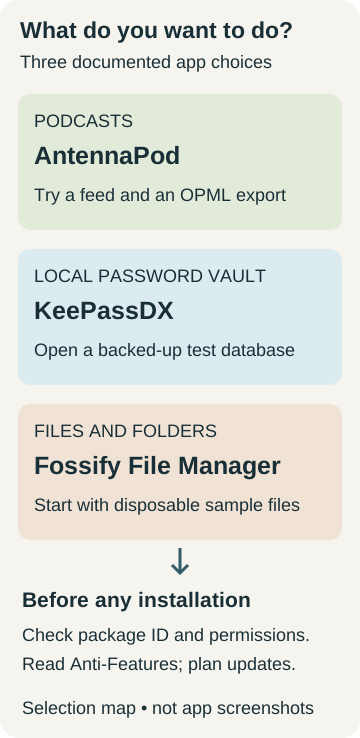
A search for the best open-source F-Droid apps on Android is a request for a few named tools, with package IDs you can match. On the catalog pages saved on 18 October 2026, AntennaPod (de.danoeh.antennapod) is the podcast manager, KeePassDX (com.kunzisoft.keepass.libre) is the local KeePass file, and Fossify File Manager (org.fossify.filemanager) is the file organizer. The suggested builds are AntennaPod 3.12.3 (added 15 October 2026), KeePassDX 4.5.5 (added 27 September 2026), and Fossify File Manager 1.6.2 (added 14 October 2026). Read the signer line and the permission list on those pages, and keep an OPML export or a database copy before you remove the app you already use. Fit the three jobs into a wider routine with the Android productivity and essential apps guide.
Scroll horizontally to view all table columns.
| Job | Package and suggested build on 18 October 2026 | Failure if you skip the check |
|---|---|---|
| Podcasts | AntennaPod 3.12.3, de.danoeh.antennapod, Android 6.0 or newer, signed by F-Droid |
Subscriptions stay in the app until an OPML export exists |
| Passwords | KeePassDX 4.5.5, com.kunzisoft.keepass.libre, Android 4.4 or newer, signed by F-Droid |
Google settings backup does not store the database file or the main password |
| Files | Fossify File Manager 1.6.2, org.fossify.filemanager, Android 8.0 or newer, signed by the original developer |
Shared-storage write can move a folder you have not opened |
Scroll horizontally to read the labels in this diagram.
AntennaPod: start with one feed and an export
Add one RSS feed you already know, play an episode, and export OPML before you drop the podcast app you use now.
The AntennaPod listing for suggested version 3.12.3 (version code 3120395), added on 15 October 2026, describes a podcast manager that imports and exports feeds through OPML, the Apple Podcasts database, gPodder.net, fyyd, Podcast Index, and RSS or Atom links. Playback on that page includes adjustable speed, chapters, and a sleep timer. Automatic downloads can be limited to chosen feeds, times, intervals, selected Wi-Fi networks, and charging. The listing says the app is open source, with no ads, and that the shows you add include free and paid podcasts. That line is about the shows, and it does not describe advertising inside an episode’s audio.
The suggested build requires Android 6.0 or newer. F-Droid says it built and signed this version, and the printed APK size is 16 MiB. The permission list includes full network access, Wi-Fi connection information, Bluetooth pairing, a media-playback foreground service, notifications, run at startup, vibration, and preventing the phone from sleeping. Those entries match a player that downloads audio. They are still worth reading before you install.
The one-feed check is the whole first session. Add a single address, export OPML, and confirm that same address is in the export. One match is enough to show the export path works. The Pocket Casts and AntennaPod comparison is the page for moving an existing subscription list between those two players.
KeePassDX: decide how you will keep a recoverable vault
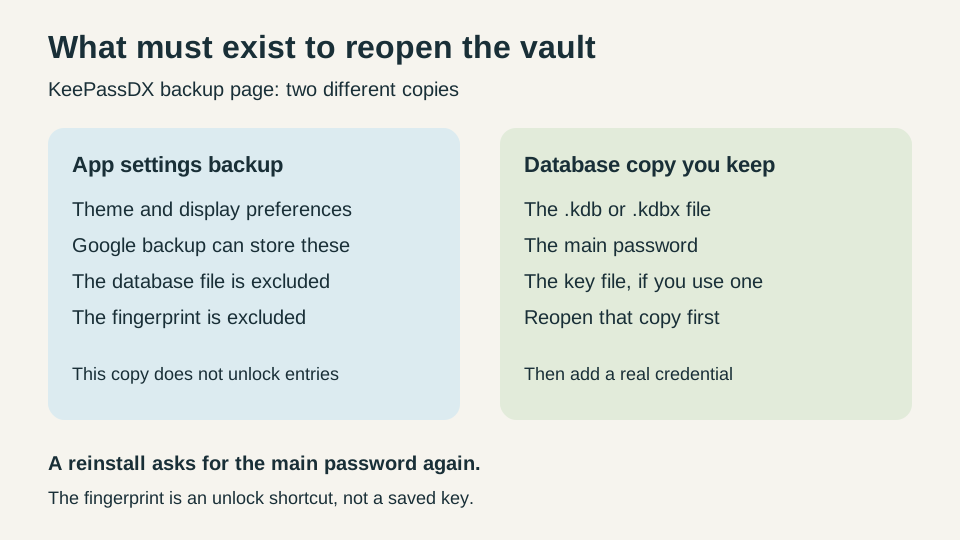
Copy the database file off the phone, and keep the main password plus the key file if you use one, before a real credential goes in.
The KeePassDX listing describes a local encrypted file in the KeePass format, with .kdb and .kdbx versions 1 to 4, AES, Twofish, ChaCha20, and Argon2. The same page lists passkeys, autofill, HOTP and TOTP, and biometric unlock. It says the app requires no Internet connection and has no advertising. Suggested version 4.5.5 (version code 45500) was added on 27 September 2026, requires Android 4.4 or newer, and is built and signed by F-Droid. The printed APK size is 15 MiB. The permission list for that build includes foreground services, notifications, precisely timed actions, biometric hardware, fingerprint hardware, and vibration. A network permission is absent from that list.
The package ID to match is com.kunzisoft.keepass.libre. The listing also links a separate Play package, com.kunzisoft.keepass.pro. Match the libre ID on F-Droid.
The project backup page splits the problem in two. Application settings, such as theme and display size, are what Google automatic backup stores. The database file is not in that backup. Without the main password, and the key file when you use one, the database can no longer be used. A fingerprint is an opening shortcut and is not saved. After a reinstall you set the fingerprint up again with the main password. The same page says some monitoring tools report Google’s settings backup as traffic from KeePassDX, and it says the app does not access the internet because no internet permission is granted.
Scroll horizontally to read the labels in this diagram.
If the copied database does not open with the main password, stop. Leave real credentials in the store you already use. The backup page names Syncthing as one way to copy the file on a schedule. Use the Syncthing setup and conflict checks before a sync folder is the only copy. A Bitwarden account is a different recovery problem from this file. The Bitwarden and KeePassDX comparison separates the account from the local database. Authenticator codes on a Google or vendor backup are a third path, covered in the Android backup guide for photos, messages, and authenticator codes.
Fossify File Manager: check access before moving important files
Open the exact folder you need and copy one disposable file before you move anything you have to keep.
The Fossify File Manager listing for suggested version 1.6.2 (version code 14), added on 14 October 2026, describes search, sorting, compression, favorite folders, storage analysis, home-folder shortcuts, SD cards, and USB storage. It says no internet access is required. The suggested build requires Android 8.0 or newer, is built and signed by the original developer, and the printed APK size is 9 MiB. Permissions on that build include android.permission.MANAGE_EXTERNAL_STORAGE, read shared storage, modify or delete shared storage, request install packages, fingerprint hardware, notifications, and org.fossify.android.permission.WRITE_GLOBAL_SETTINGS.
If Android version is below 8, skip this suggested build. The listing requires Android 8.0 or newer. Confirm the version on the phone with the new Android phone setup guide. AntennaPod 3.12.3 still lists Android 6.0, and KeePassDX 4.5.5 still lists Android 4.4, so a phone that fails the Fossify line can still use the other two suggested builds.
Request install packages allows the app to request installation of other packages. That is a different job from moving a document. Read that line before you install. Shared-storage write is the failure that matters for files: a move can land in the wrong folder. Copy a disposable file, rename the copy, and open it. Use that result before a bulk move.
The saved listing does not mention SMB shares. For folders on another computer, use the SMB file-manager comparison.
Check maintenance and Anti-Features at download time
Read the suggested row on the day you install. The rows below are the suggested builds on the pages saved on 18 October 2026.
Scroll horizontally to view all table columns.
| App | Suggested version | Added | Anti-Features printed on the saved page |
|---|---|---|---|
| AntennaPod | 3.12.3 | 15 October 2026 | None printed |
| KeePassDX | 4.5.5 | 27 September 2026 | None printed |
| Fossify File Manager | 1.6.2 | 14 October 2026 | None printed |
AntennaPod’s previous row, 3.12.2, was added on 20 September 2026. Fossify File Manager 1.6.1 was added on 18 February 2026. Those older rows are still on the pages. The suggested row is the one to install. An older added date on a previous row is a history line, and it does not by itself show that the project stopped.
F-Droid’s Anti-Feature document is the flag list packagers use when an app contains something many users will want to see first. The flags named there include Ads, Disabled Algorithm, Known Vulnerability, Non-Free Addons, Non-Free Assets, Non-Free Dependencies, Non-Free Network Services, No Source Since, Tethered Network Services, and Tracking. F-Droid says you see those flags on the app page, in the client and on the website, when the app contains one or more of them. Tracking-flagged apps stay hidden in the client until you enable them. The reporting section says maintainers can miss a flag until a later update, and it asks readers to report one to [email protected] or the fdroiddata issue tracker.
None of the three saved package pages prints an Anti-Feature flag. That is the state of those pages on 18 October 2026. It is an observation of the listing, and the reporting section is the reason to look again at download time. AntennaPod and Fossify File Manager list the GNU General Public License v3.0 only. KeePassDX lists the GNU General Public License v3.0 or later.
Install from the official source, then close unused permissions
Install the F-Droid client from f-droid.org, install each of these three packages inside that client, and turn off the install permission when you are finished.
The F-Droid homepage puts the client download at https://f-droid.org/F-Droid.apk and links the verification steps. Those steps say to download F-Droid.apk and F-Droid.apk.asc, load the public key for [email protected], and confirm a good signature whose primary fingerprint is 37D2 C987 89D8 3119 4839 4E3E 41E7 044E 1DBA 2E89. The sample signature date on that page is 9 August 2021, and the page says the date changes when the client APK is updated. Each package page says a direct APK download does not provide update notifications and is a less secure download, and it recommends the F-Droid client.
On 18 October 2026, the homepage and the verification page both display this notice: “F-Droid is under threat. Google is changing the way you install apps on your device.” Both pages link to keepandroidopen.org. The steps below are the ones those F-Droid pages and Pixel Help print.
On a Pixel, Google’s download page says apps from unknown sources put the phone and personal information at risk, including damage and data loss. To allow one installer, start the download from that source, follow the on-screen steps, tap Settings on the message, and turn on Allow from this source. To close it, open Settings, tap Apps, then Special app access, then Install unknown apps, tap the installer, and turn off Allow from this source. That page prints the Pixel labels. It does not print the menu names for other brands.
Play Protect is on by default, and Google recommends keeping it on. It checks apps from outside the Play Store. The page says an unverified app that uses sensitive device permissions can be blocked at install. Read the message on the phone. This guide stops at that message.
Keep an update channel and a migration plan
Stay on the F-Droid client for later versions, and copy the app’s data out before any uninstall.
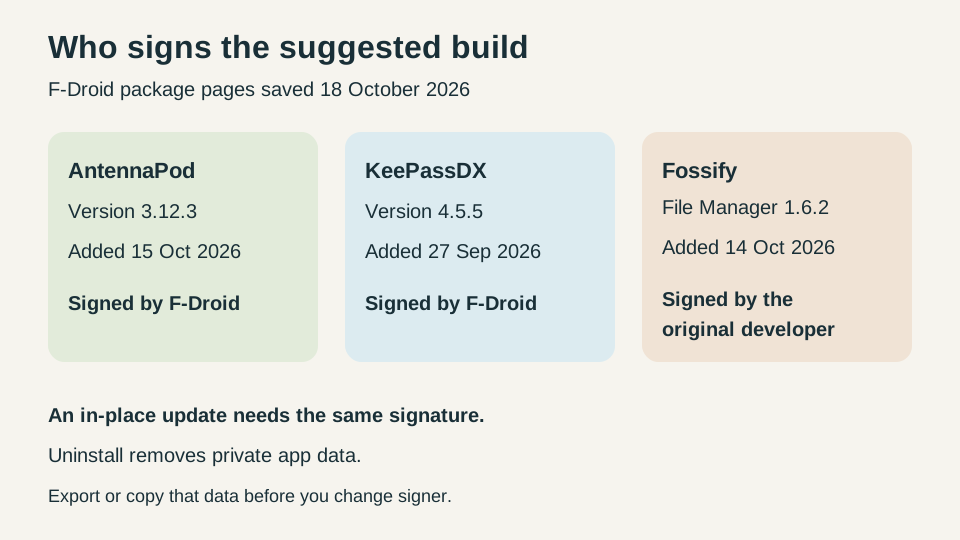
F-Droid’s signing FAQ says packages that are not set up for reproducible builds are signed by an F-Droid key. When the same app is also shipped in a developer-signed APK, as on the Play Store, the F-Droid APK has a different signature. Android requires the same signature for an in-place update. Switching signer means uninstall, then install. Uninstall removes the app’s private data, so export that data first and import it after. The same FAQ says a reproducible build can ship the developer’s own signed APK after F-Droid checks it against the source build.
AntennaPod 3.12.3 and KeePassDX 4.5.5 are signed by F-Droid. Fossify File Manager 1.6.2 is signed by the original developer.
Scroll horizontally to read the labels in this diagram.
Record the installer you have now and the package ID you intend to add. Export or copy the data and open that copy. If Android reports a signature conflict, keep the installed app until the copy opens. Uninstall only after that open succeeds. For a first F-Droid app, use the podcast feed. The password file waits until a copied database opens with the main password.
Frequently Asked Questions
Why does an update fail after the APK source changes?
Android requires the same signature for an in-place update. F-Droid’s signing FAQ says uninstalling to change signer removes private app data. Export or copy that data first. AntennaPod 3.12.3 and KeePassDX 4.5.5 are signed by F-Droid. Fossify File Manager 1.6.2 is signed by the original developer.
Why does a direct APK download show no updates?
The AntennaPod, KeePassDX, and Fossify File Manager pages each say that installing the APK directly does not provide update notifications. They recommend the F-Droid client.
Can I reopen a KeePassDX database without the main password?
No. The KeePassDX backup page says that without the main password, and the key file when you use one, the database can no longer be used. Reinstalling the app does not replace those. A fingerprint is not a saved copy of the database.
How this shortlist was prepared
TasteOfAndroid prepared this page from the F-Droid package pages for these three apps, the Anti-Feature and signing documents, the client download and verification pages, the KeePassDX backup wiki, and the Pixel and Play Protect help pages, all saved on 18 October 2026. The industry library search returned no manuals for these apps. The page reports the version, permission, and signing lines those saves print. It does not report a device test or a score.
Sources & methodology10 sources
Evidence used for this article. Links open the original source in a new tab.
- AntennaPod package listing — F-Droid
- KeePassDX package listing — F-Droid
- Fossify File Manager package listing — F-Droid
- Anti-Features — F-Droid
- FAQ for app developers: signing and updates — F-Droid
- F-Droid official client website — F-Droid
- Verifying downloaded F-Droid.apk — F-Droid
- KeePassDX backup: database files and app settings — KeePassDX project
- Download apps to your Pixel phone — Google
- Use Google Play Protect — Google
TasteOfAndroid is responsible for this page. The byline, method and commercial relationships are on the editorial policy and the author page.
Related Articles
Android Private Space Versus a Work Profile and Cloned Apps
Compare Android 15+ Private Space, Work Profiles, and cloned apps across user IDs, locked notification states, Photo Picker visibility, VPN bypass, and backups.
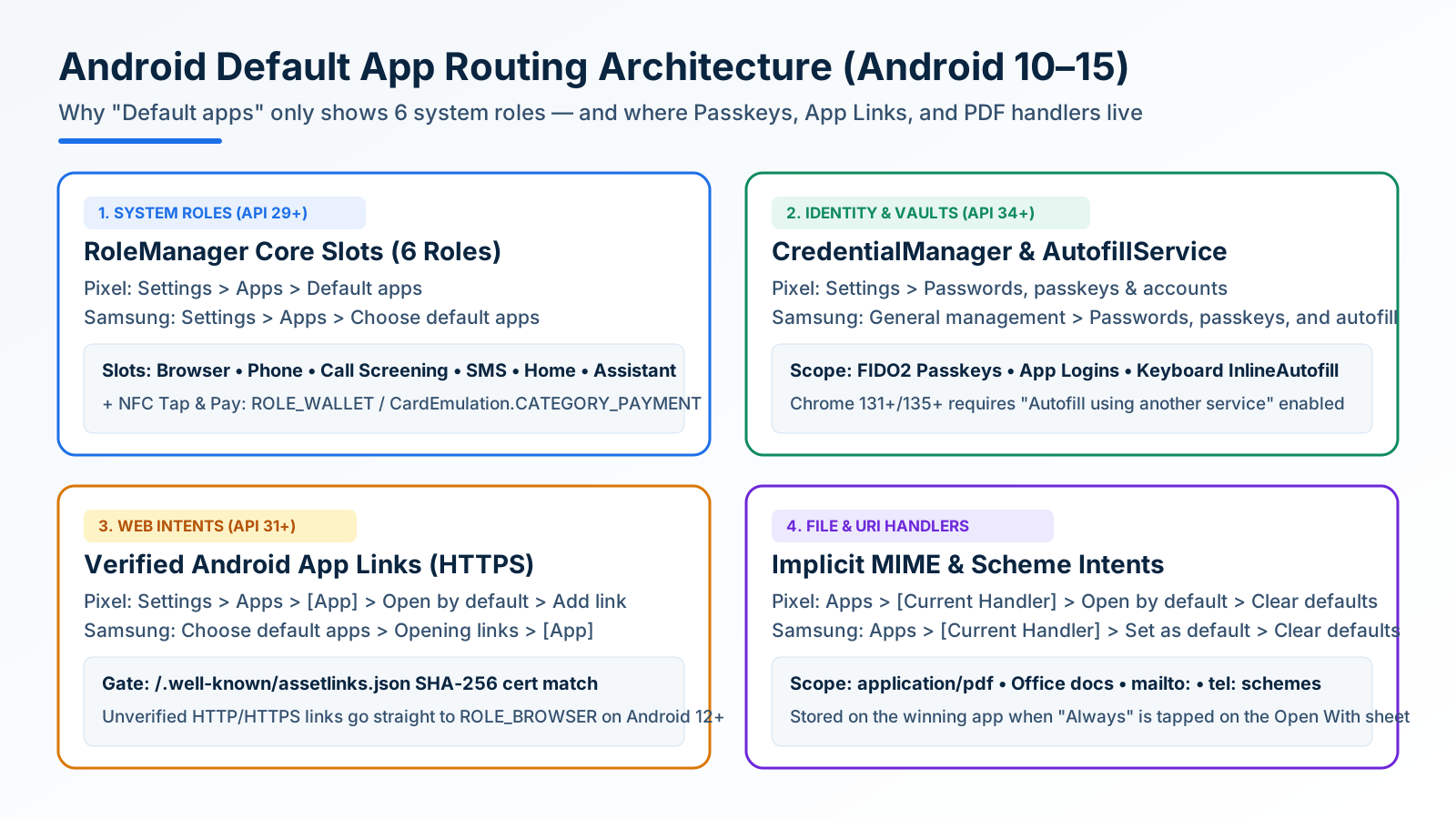
How to Change and Reset Default Apps on Android: Browsers, Passkeys, PDFs, and App Links
Looking only in Default apps fails when a wrong PDF viewer or browser hijacks links. Use Android's 4 routing menus to set browsers, passkeys, App Links, and MIME handlers.
Block Spam Calls and Robocalls on Android Without a Paid App
Use Filter spam calls, Pixel Call Screen, or Galaxy Text call. Google does not take numbers from your Contact list.