
Contents
Buying the wrong storage line wastes the upgrade when that line leaves physical RAM unchanged. An Android phone needs the physical RAM figure the manufacturer prints for that exact model, market, and storage option.
An Android phone needs the physical RAM on its own spec line, not a single number for every phone. Pages saved on 18 October 2026 list 8 GB RAM for the US Pixel 9a and the US Galaxy S26 FE, 12 GB RAM for the US Pixel 10, the India Pixel 10, the US Galaxy S26, and the US Galaxy S26+, and 16 GB RAM for the US Pixel 10 Pro and Pixel 10 Pro XL. The US Galaxy S26 Ultra lists 12 GB RAM or 16 GB RAM, and the 16 GB line is the 1 TB storage option. Those are configuration facts from the saved pages. A RAM Plus setting stays off that hardware total.
Scroll horizontally to view all table columns.
| Input or item | Published value on the saved page | Why it matters |
|---|---|---|
| Pixel 9a, US Google Store | 128 GB / 8 GB RAM and 256 GB / 8 GB RAM | Both storage lines list 8 GB RAM |
| Pixel 10, US Google Store | 128 GB / 12 GB RAM and 256 GB / 12 GB RAM | Both storage lines list 12 GB RAM |
| Pixel 10, India Google Store | 256 GB / 12 GB RAM | The saved India page lists that one memory line |
| Pixel 10 Pro, US Google Store | 16 GB RAM on 128 GB, 256 GB, 512 GB with Zoned UFS, and 1 TB with Zoned UFS | The RAM figure stays 16 GB across those lines |
| Pixel 10 Pro XL, US Google Store | A dash in place of 128 GB, then 16 GB RAM on 256 GB, 512 GB with Zoned UFS, and 1 TB with Zoned UFS | The 128 GB / 16 GB line is the Pro column |
| Galaxy S26 and S26+, US Samsung | 12 GB RAM with 256 GB or 512 GB | A storage step on this page stays at 12 GB RAM |
| Galaxy S26 Ultra, US Samsung | 12 GB RAM with 256 GB or 512 GB, or 16 GB RAM with 1 TB | 16 GB RAM is tied to the 1 TB option |
| Galaxy S26 FE, US Samsung | 8 GB RAM with 128 GB or 256 GB | Both FE storage lines list 8 GB RAM |
| RAM Plus, Samsung Gulf | Virtual memory from internal storage, typical options 2 GB to 8 GB, at least 10 GB free | Leave this setting out of the physical total |
This sits with the other Android buying guides. Copy four fields before you compare two phones: model, market, storage line, and the RAM figure printed beside that line.
The saved pages print these RAM lines
The US Pixel 9a page lists 128 GB / 8 GB RAM and 256 GB / 8 GB RAM. 3 The US Pixel 10 page lists 128 GB / 12 GB RAM and 256 GB / 12 GB RAM. 1 The India Pixel 10 page lists 256 GB / 12 GB RAM. 4 The same phone name can carry a shorter storage list in another store, so the market on the page is part of the memory line.
The US Pixel 10 Pro column lists 128 GB / 16 GB RAM, 256 GB / 16 GB RAM, 512 GB with Zoned UFS / 16 GB RAM, and 1 TB with Zoned UFS / 16 GB RAM. The Pixel 10 Pro XL column prints a dash, then 256 GB / 16 GB RAM, 512 GB with Zoned UFS / 16 GB RAM, and 1 TB with Zoned UFS / 16 GB RAM. 2
Samsung’s US comparison lists 12 GB RAM for the Galaxy S26 and Galaxy S26+, each with 256 GB or 512 GB of storage. It lists 12 GB RAM for the Galaxy S26 Ultra with 256 GB or 512 GB, or 16 GB RAM with 1 TB. It lists 8 GB RAM for the Galaxy S26 FE with 128 GB or 256 GB. 5
Scroll horizontally to read the labels in this diagram.
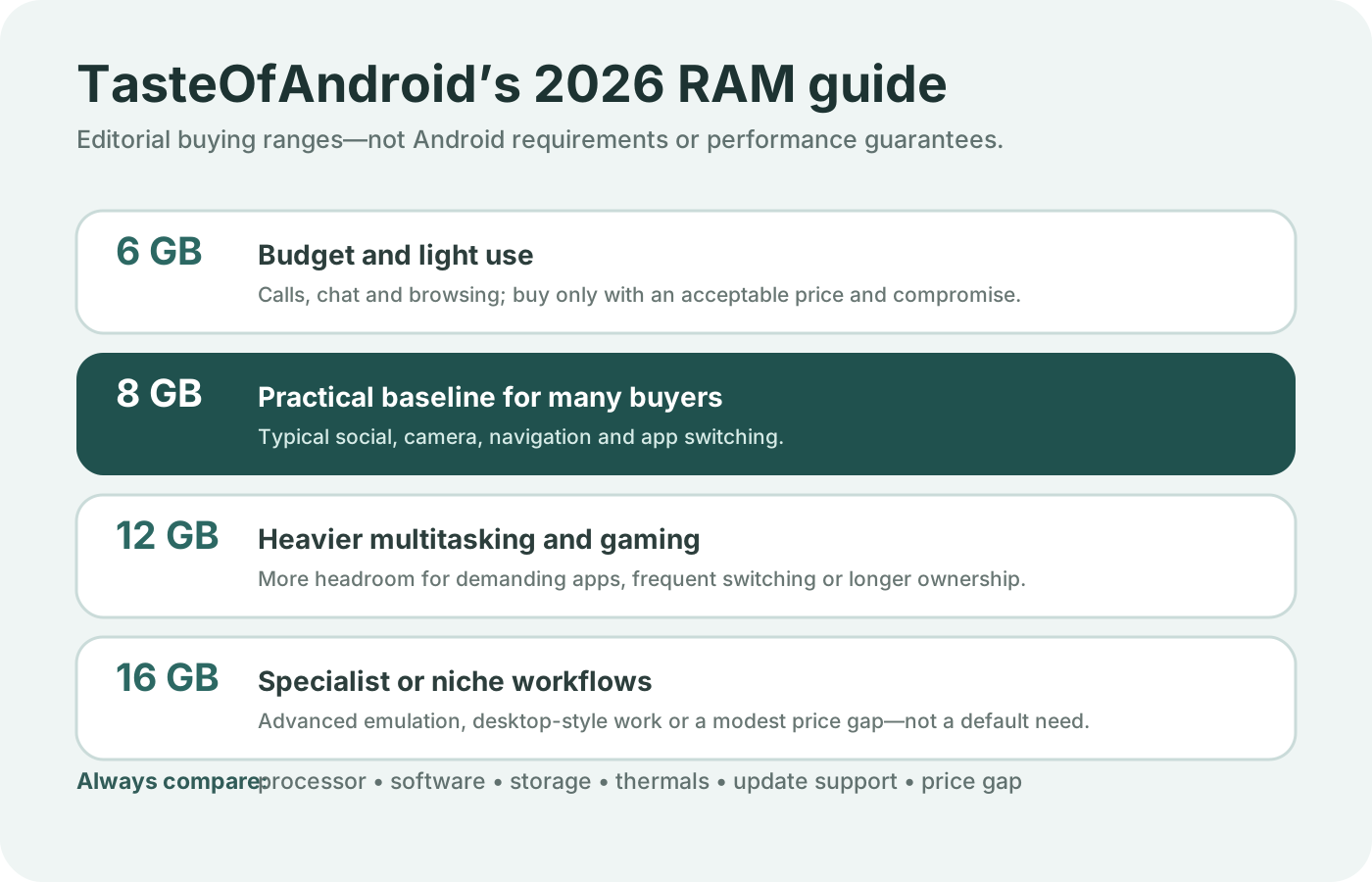
Open the full-size chart of published RAM lines.
The chart copies those lines. It does not rank them as a minimum, a recommended buy, or a speed score.
Samsung’s 26 February 2026 announcement prints Memory and Storage pairs for the same series, and it states that the memory option varies by market. For the Galaxy S26 and S26+ the row prints “12 + 256GB” and “12 + 512GB”. For the Galaxy S26 Ultra it prints “16GB + 1TB”, “12 + 512GB”, and “12 + 256GB”. 7 The US support page is the page that names the first number as RAM. Use the page for the country where the phone is sold when the two wordings need a check.
Storage capacity and RAM are different lines
RAM is the memory figure in the pair. Storage is the other figure, and Google’s spec footnotes say storage specifications refer to capacity before formatting, with less capacity after formatting. 1 A larger storage number holds more files. It does not rewrite the RAM number beside it.
On the US Pixel 9a page, 256 GB storage still lists 8 GB RAM. On the US Pixel 10 page, 128 GB storage already lists 12 GB RAM. Buying 256 GB of storage does not turn an 8 GB phone into a 12 GB phone. Those are different models with their own lines. 3 1
Scroll horizontally to read the labels in this diagram.
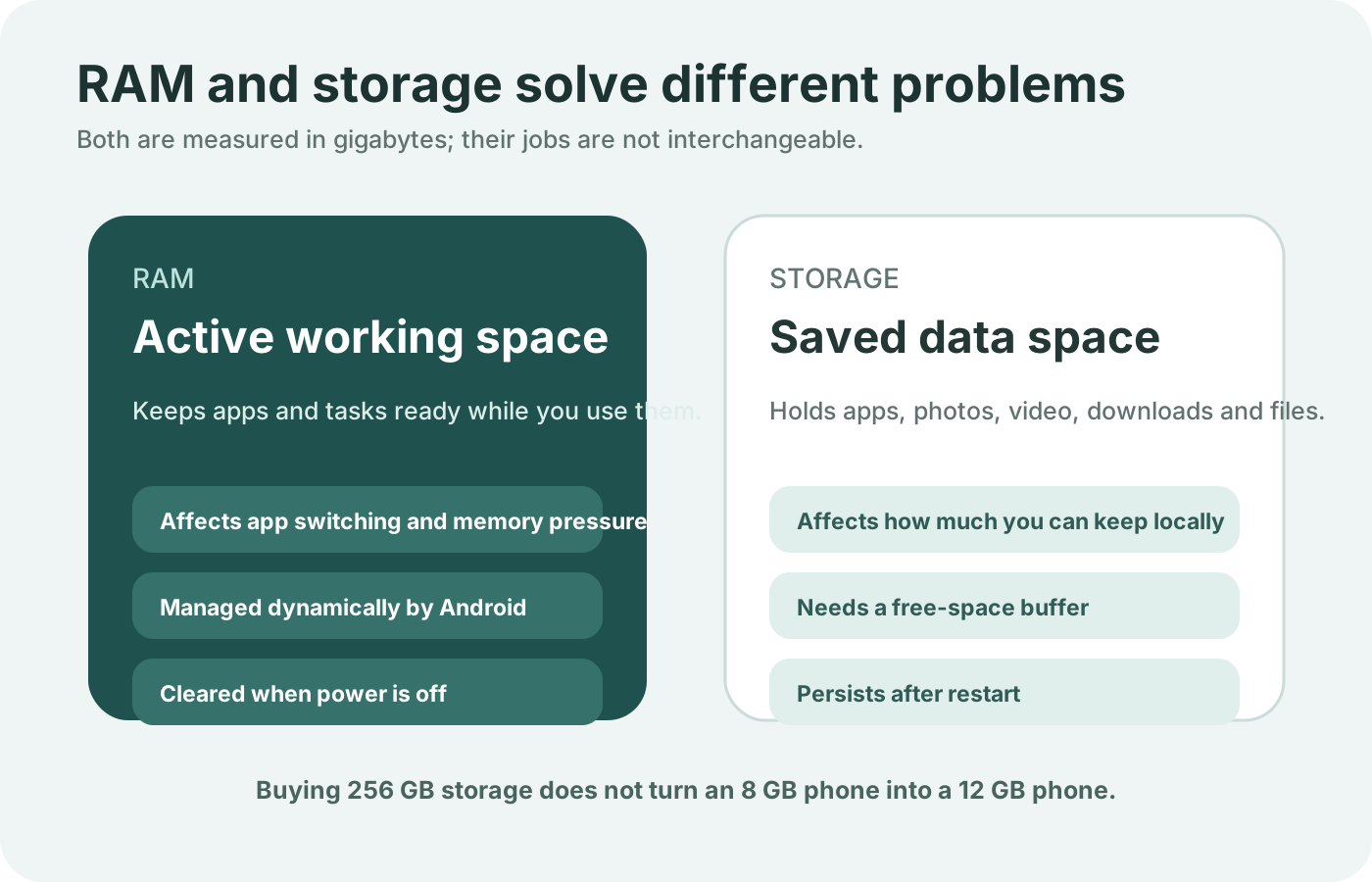
Open the full-size RAM and storage diagram.
When the open question is how much file space the phone keeps, use the separate guide to 128GB and 256GB of Android storage. Free space in that guide is storage. It is not unused physical RAM.
Scroll horizontally to view all table columns.
| Configuration pattern | Example on the saved page | Dominant failure mode | Prevention |
|---|---|---|---|
| Same RAM on every storage line | US Pixel 10: 12 GB RAM at 128 GB and 256 GB | Paying for storage in the belief that RAM rises with it | Read the RAM figure on both lines before you step up storage |
| Higher RAM tied to one storage option | US Galaxy S26 Ultra: 16 GB RAM with 1 TB | Buying 512 GB and expecting the 16 GB RAM line | The 16 GB line on this page is the 1 TB option |
| Market list is shorter | India Pixel 10: 256 GB / 12 GB RAM | Assuming the US 128 GB line is on the India page | Open the spec page for the market you buy |
| Sibling model drops a storage line | Pixel 10 Pro XL prints a dash instead of 128 GB / 16 GB RAM | Copying the Pro’s 128 GB line onto the XL | Use the column headed Pixel 10 Pro XL |
| Virtual setting beside the spec | RAM Plus, typical options 2 GB to 8 GB | Adding that range to the physical RAM line | Keep the virtual setting in its own column |
RAM Plus stays off the physical total
Samsung’s Gulf page describes RAM Plus as a virtual memory feature that lets you allocate a portion of internal storage as additional RAM, especially on devices with limited physical memory. The page says this helps the phone handle more apps running at the same time and reduces app reload times. It also says RAM Plus is not a substitute for a phone with more physical RAM. Availability varies by model and software version. Typical options run from 2 GB to 8 GB, depending on storage capacity, and the free-space check is at least 10 GB free. 6
Rule of thumb: If the spec prints one RAM number on every storage option, a storage step leaves physical RAM unchanged. If free internal storage is under 10 GB, the Gulf page’s free-space check for RAM Plus is not met.
The arithmetic that keeps the two numbers apart is:
Physical RAM = the RAM figure on the manufacturer memory line
Worked example. The US Galaxy S26 line is 12 GB RAM. Set RAM Plus at 8 GB, the top of the Gulf page’s typical range. Added total = 12 + 8 = 20. The spec page does not print 20 GB. Physical RAM remains 12 GB. The 8 GB setting is storage allocated as virtual memory, and it also has to fit inside the free-space check.
A second worked example uses only published hardware lines. Listed RAM gap = higher listed physical RAM - lower listed physical RAM. On the US Galaxy S26 Ultra comparison, Listed RAM gap = 16 - 12 = 4. That 4 GB is the gap between the 1 TB line and the 256 GB or 512 GB lines. On the US Pixel 10 page, Listed RAM gap = 12 - 12 = 0. The storage step does not move RAM.
Scroll horizontally to read the labels in this diagram.
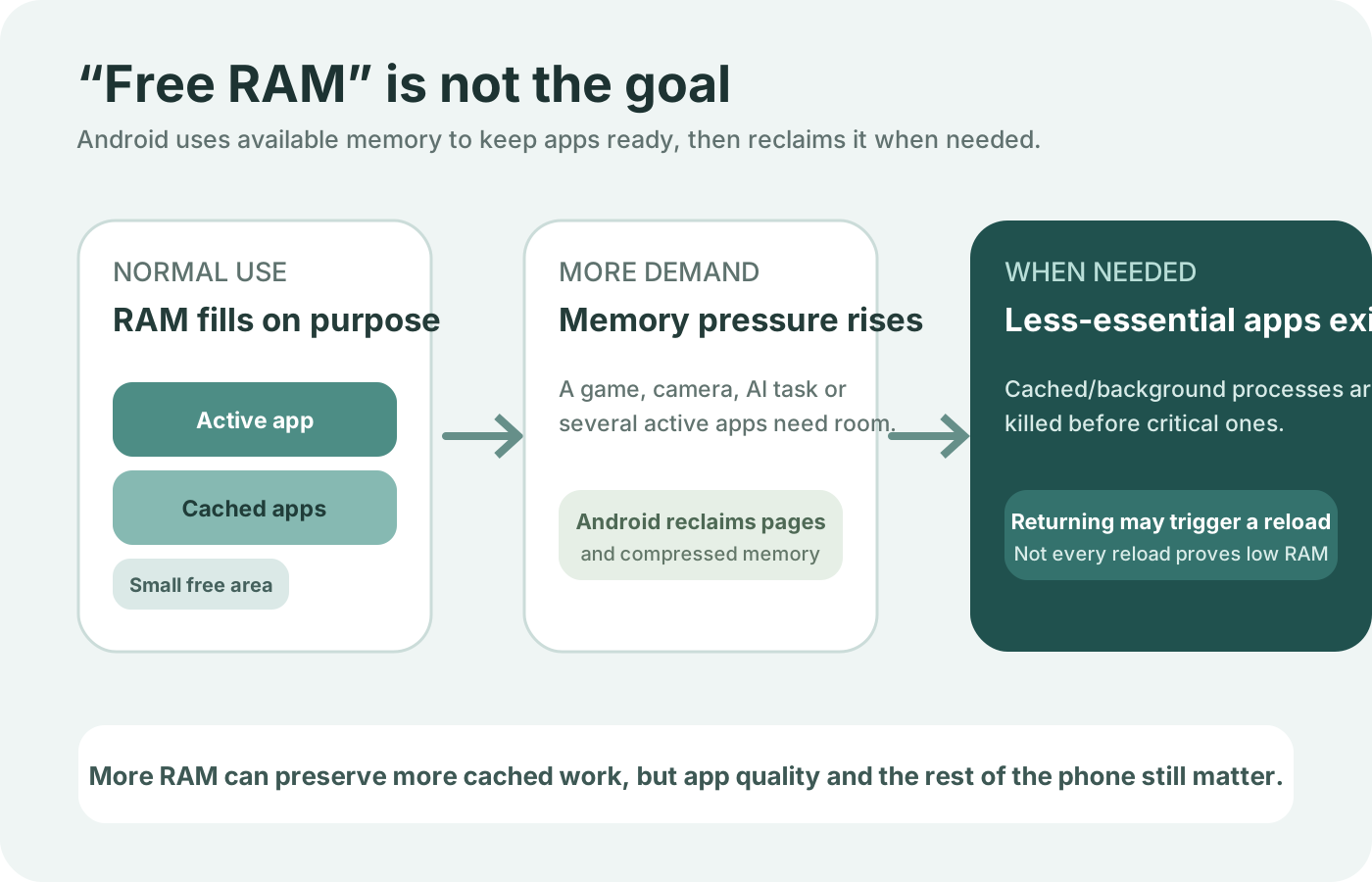
Open the full-size physical and virtual memory diagram.
The hidden cost of mixing the columns is a storage purchase that never changes the hardware line, or a virtual setting that spends free storage while the spec RAM stays put. On the Ultra page, the step from 12 GB RAM to 16 GB RAM is the step to the 1 TB option, so the storage jump and the RAM jump arrive together. On the Pixel 10 Pro page, 16 GB RAM is already on the 128 GB line, so the later storage lines do not buy the RAM.
Read the paired line before the next storage step
The useful comparison is line against line. A US Galaxy S26 at 12 GB RAM and a US Pixel 10 at 12 GB RAM share a RAM figure and still differ in processor, battery, and software. A US Galaxy S26 Ultra at 16 GB RAM and a US Pixel 10 Pro at 16 GB RAM share the higher figure, while the Ultra page attaches 16 GB RAM to 1 TB and the Pro page attaches 16 GB RAM to 128 GB as well. The rest of a Galaxy S26 and Pixel 10 decision is the whole phone, not this RAM pair.
Rule of thumb for the Ultra line: If listed physical RAM is under 16 GB on that US comparison, the row in front of you is the 256 GB or 512 GB option, and the 16 GB row is the 1 TB option.
Pixel software and Samsung One UI are a separate choice. The Pixel Android and Samsung One UI guide covers that software split. It does not change the RAM figure printed for a storage line.
Where these figures stop
These lines are the memory rows on the pages saved on 18 October 2026. A phone absent from that set needs its own manufacturer spec page. This article does not extend the 8 GB, 12 GB, or 16 GB rows to a model those pages do not name.
Developer and source Android pages for memory behavior returned a sign-in redirect on the same day, so they are not used here. The buying record is the manufacturer memory line, the market, and the storage option printed with it.
How long you keep the phone is a software-support question. Check how Android update support is counted before you treat a RAM line as a multi-year plan. A new mid-range phone against an older flagship can list different RAM and still split on battery, repair, and the processor. RAM is one published field in that larger choice.
Method and sources
The RAM figures above are copied from Google Store spec pages and from Samsung’s US comparison, saved on 18 October 2026. The RAM Plus description is copied from Samsung’s Gulf support page saved the same day. The global S26 announcement supplies the Memory and Storage pairs and the market caveat. Recheck the page for the exact model and the country of sale before you order, because Samsung’s announcement states that the memory option varies by market.
Frequently Asked Questions
Does the US Pixel 10 list 12 GB of RAM on both storage lines?
Yes. The US Pixel 10 spec page lists 128 GB / 12 GB RAM and 256 GB / 12 GB RAM.
Is Galaxy S26 Ultra RAM listed at 16 GB with every storage option?
No. The US comparison lists 12 GB RAM with 256 GB or 512 GB, and 16 GB RAM with the 1 TB option.
Does Samsung RAM Plus increase physical RAM?
No. The Gulf support page says RAM Plus uses internal storage as virtual memory and is not a substitute for a phone with more physical RAM.
Does the saved India Pixel 10 page list a 128 GB line?
No. The India Pixel 10 spec page saved on 18 October 2026 lists 256 GB / 12 GB RAM.
Sources & methodology7 sources
Evidence used for this article. Links open the original source in a new tab.
- Google Pixel 10 Specs & Hardware — Google Store
- Pixel 10 Pro and Pixel 10 Pro XL specs — Google Store
- Pixel 9a phone specifications — Google Store
- Google Pixel 10 Features & Specs, India — Google Store
- Compare Galaxy S26, S26+, S26 Ultra, and S26 FE — Samsung Support
- How to use RAM Plus on a Galaxy phone — Samsung Gulf
- Samsung Unveils Galaxy S26 Series — Samsung Global Newsroom
TasteOfAndroid is responsible for this page. The byline, method and commercial relationships are on the editorial policy and the author page.
Related Articles
Choosing Waterproof Phone Cases: IP Ratings, Seal Condition and Fit
Compare rigid waterproof phone cases and pouches by model fit, manufacturer-rated use, closure condition and controls. Understand the limits of phone barometer checks.
Pocket Casts vs AntennaPod: Choose and Move Your Podcasts
Choose Pocket Casts or AntennaPod by playback controls and sync needs, then move subscriptions with OPML while protecting listening progress and settings.
Xodo vs Flexcil: PDF Annotation and Signing on Android
Study marks, a visual signature, and a signing request are different jobs. Follow the public steps, then reopen a copied PDF. These pages do not name a winner or a price.