
Contents
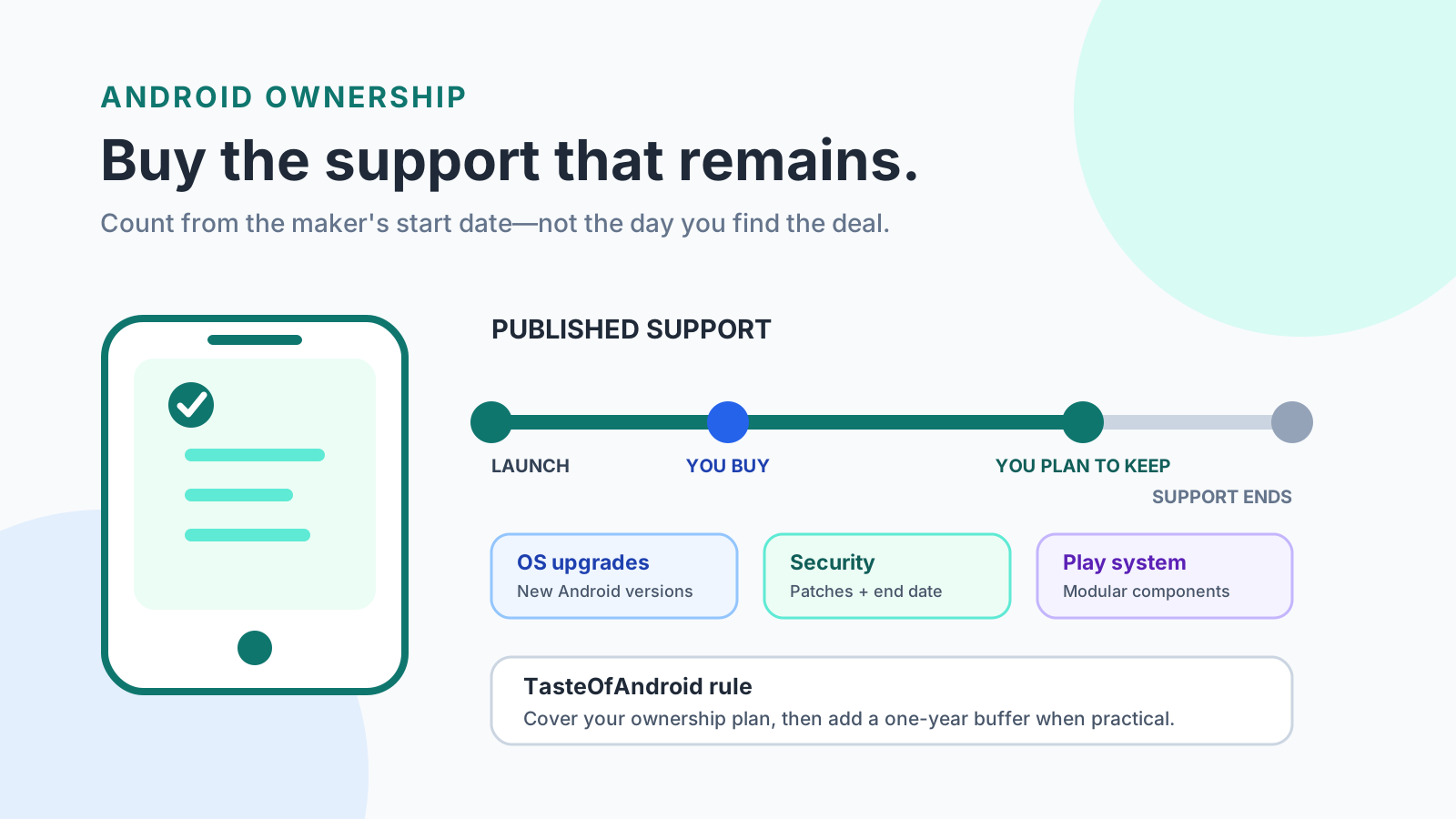
A security window that ends before you replace the phone costs you the rest of that ownership with no documented security patch. Android update support is the OS and security window published for one exact model, and the years you need are the years still left on that window.
You need enough remaining security support to cover the years you will keep that exact phone. Checked 17 October 2026, Pixel Help gives Pixel 8 and later phones 7 years of OS and security updates from first US Google Store availability, and gives the Pixel 6 family, Pixel 7 family, and original Pixel Fold 5 years from that start. Samsung’s 26 February 2026 announcement states seven years of security updates for Galaxy S26. Fairphone says the Fairphone (Gen. 6) has software support until 2033, with at least seven Android OS upgrades. OnePlus UK pledges a minimum of 3 years of security updates for smartphones after launch, and lists 13 November 2031 for the OnePlus 15. Xiaomi’s global FAQ says security updates typically run at least 2 years after first shipment, and 3 years or longer on some models. The purchase date does not move the start.
- Read OS upgrades, manufacturer security updates, and Google Play system updates as separate lines.
- Subtract the time already passed since the maker’s published start.
- Keep the country on the page you cite. A UK end date stays a UK end date.
- Leave the OS-upgrade count blank when that page states only security years.
Scroll horizontally to view all table columns.
| Published window | Clock and scope, checked 17 October 2026 | Dominant failure mode | Prevention |
|---|---|---|---|
| Pixel 8 and later[1] | 7 years of OS and security updates from first availability on the US Google Store. The page names Pixel 8 through Pixel 11, including the Pro Fold models. Pixel Drops can add features on that window. Rollout depends on carrier and device. | Counting the headline 7 years after the phone has already been on sale. | Subtract the time since first US Google Store availability. |
| Pixel 6, Pixel 7, and Pixel Fold[1] | 5 years of OS and security updates from the same US Google Store start. The list is Pixel 6, Pixel 6 Pro, Pixel 6a, Pixel 7, Pixel 7 Pro, Pixel 7a, and Pixel Fold. | Applying the Pixel 8 policy to this group. | Use the 5-year line for these named models. |
| Pixel 5a and earlier[1] | Android version updates and security updates have ended for Pixel 5a (5G), Pixel 5, the Pixel 4 phones, the Pixel 3 phones, the Pixel 2 phones, and the original Pixel. | Buying one of these for a plan that still needs future patches. | Pick a model whose page still shows a future end. |
| Galaxy S26[5] | The 26 February 2026 series announcement states seven years of security updates for Galaxy S26. That sentence does not give an OS-upgrade count or a start date. | Copying a 7-generation OS figure onto this page. | Record seven security years. Leave OS generations blank. |
| Fairphone (Gen. 6)[6] | Software support until 2033 at least, with regular security patches, software updates, spare parts, and at least seven Android OS upgrades. | Filling in a monthly or bi-monthly cadence this product page does not give. | Use 2033 and seven OS upgrades. Leave the patch interval blank. |
| OnePlus phones, UK page[7] | Smartphones get a minimum of 3 years of security updates after launch. The product list shows OnePlus 15 ending 13 November 2031. Delivery can vary by country and model. An OS upgrade can delay that month’s security update, and the new OS then carries the latest patches. | Using the UK date in another country, or reading it as an OS-upgrade count. | Keep the UK scope. Leave OS generations blank. |
| Xiaomi, REDMI, and POCO[8] | Typically at least 2 years of security updates after first shipment. Some models get 3 years or longer. A very serious vulnerability can still receive a fix after the model is on the EOL list. | Treating 2 years as the promise on every current model. | Check the exact model. Keep this FAQ as the general floor. |
More of the site’s Android updates guides sit next to this page once the year count is settled.
When does the Android update support clock start?
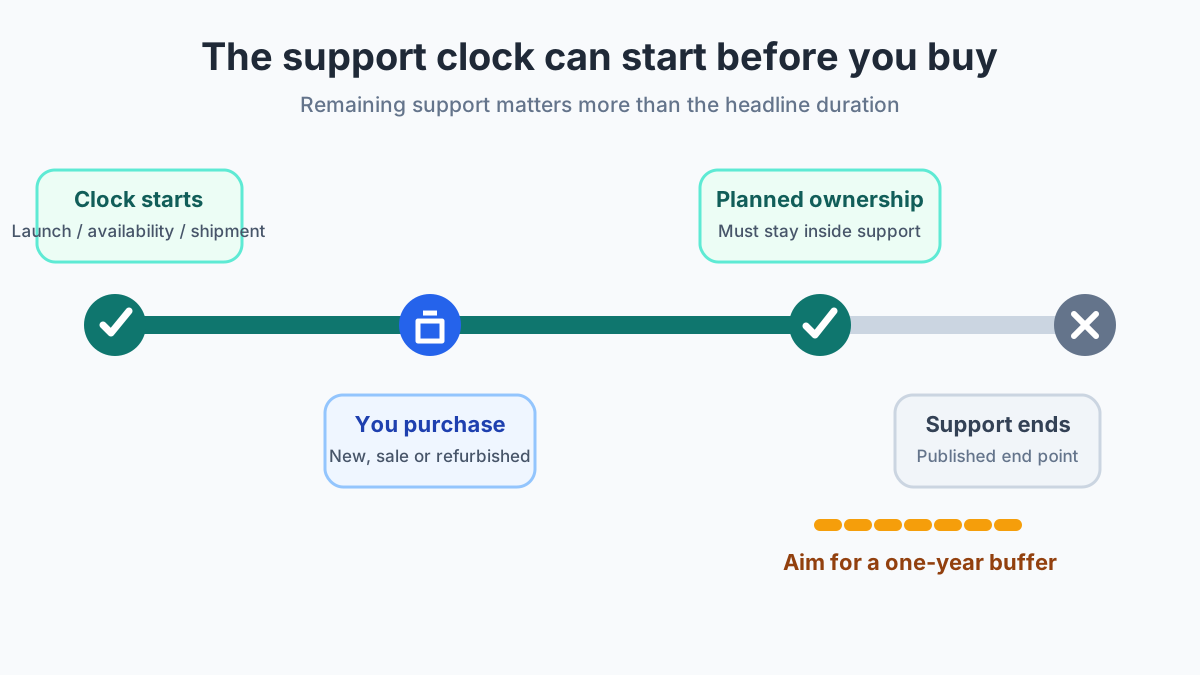
The clock starts where that maker says it starts. On Pixel 8 and later, and on the Pixel 6, Pixel 7, and Pixel Fold group, Google starts the count when the model first became available on the US Google Store.[1] Xiaomi’s general security floor starts at first shipment of that model.[8] OnePlus’s UK minimum of 3 years follows product launch.[7] Samsung’s seven-year sentence for Galaxy S26 does not name a start date on the announcement page.[5] Fairphone states an end, 2033, rather than a start.[6]
A sale, a refurbisher, or a later shipment to your country does not reset those clocks. If two years have already passed since the published start, a 7-year Pixel 8-and-later window has 5 years left. The headline duration is the full published span. Remaining support is what is left on the day you buy.
The published start sits before a later purchase. Planned ownership has to finish while support is still open. The gap after your replacement date is the support margin: end date minus replacement date.
Scroll horizontally to read the labels in this diagram.
That elapsed time is why a discounted older flagship can lose to a newer mid-range phone on software even when the older phone was the stronger product at launch. The comparison belongs in a new mid-range phone or an older flagship.
What do OS, security, and Play system updates each cover?
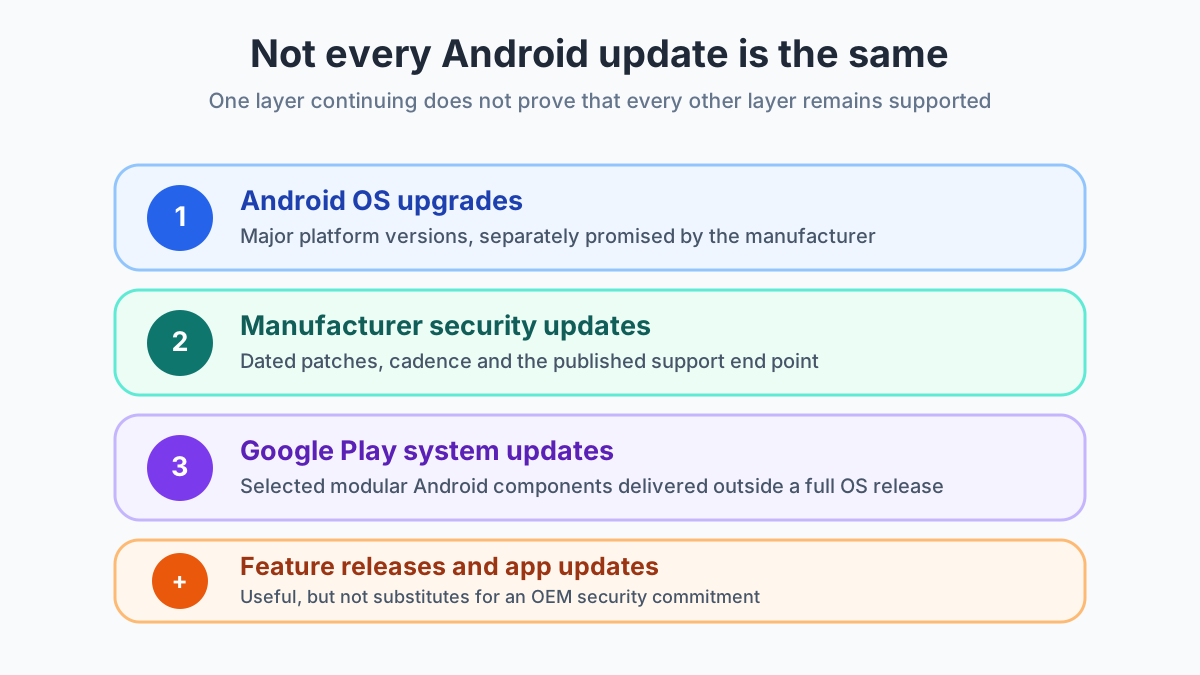
Android Help shows four separate lines under Settings, About phone or About tablet, Android version: Android version, Android security update, Google Play system update, and build number.[2] Each line answers a different question.
An OS upgrade moves the phone to a newer Android release. Google’s Pixel 8-and-later promise includes 7 years of OS updates and 7 years of security updates in the same sentence. Samsung’s Galaxy S26 sentence states security years only.[1][5]
A manufacturer security update applies disclosed fixes and sets the security patch level you can read in Settings. The October 2026 Android Security Bulletin, published 5 October 2026 and updated 8 October 2026, says patch levels of 2026-10-01 or higher address the issues in that bulletin.[4] The installed patch level records what is on the phone now. It does not state how many later bulletins that model will receive.
Google Play system updates are Mainline module packages. AOSP says updated Mainline modules can be pushed by Google through the Google Play system update feature, or by the Android partner through a partner OTA. The package installs and rolls back as a set: either all modules in that package update, or none do.[3] A fresh Play system date means those modules moved. The OEM security end date is the other field.
Feature drops sit beside those three. Google says the Pixel OS and security window can also include new and upgraded features through Pixel Drops.[1] App-store updates belong to individual apps. The day-to-day software around those updates is a separate choice, covered in Pixel Android and Samsung One UI.
Four layers stay separate: OS upgrades, manufacturer security updates, Google Play system updates, and feature or app updates. A current date on one layer leaves the other end dates untouched.
Scroll horizontally to read the labels in this diagram.
Rules of thumb for the year count
Rule of thumb: If the published security end date falls before the date you plan to replace the phone, skip that unit for that plan. The threshold is the end date itself. Google, Samsung, Fairphone, OnePlus, and Xiaomi each define the window on their own page, and a receipt does not restart it.[1]
Rule of thumb: If the only date you can see is the installed security patch level, stop. That date is the bulletin level on the phone, such as 2026-10-01, and the support end is a different fact. Android Help keeps Android version, Android security update, and Google Play system update on separate lines.[2][4]
Rule of thumb: If the page states security years and leaves the OS-upgrade count off the page, the OS count stays unknown. Samsung’s Galaxy S26 announcement is that case. Google’s Pixel 8-and-later page is the other case: OS and security are both 7 years.[5][1]
For a window written as a duration:
Remaining support = published duration − time since the published start
For a window written as an end date:
Remaining support = published end date − purchase date
Support margin = published end date − planned replacement date
A negative margin means the documented window closes while you still plan to use the phone. The cost of that miss is another replacement cycle: a second phone, a second setup, and the months you expected the first phone to stay in daily use. There is no extra year pasted on after the published end. When the end date arrives first, the next step is the exit checklist in before you sell an Android phone.
Worked example: OnePlus 15 on the UK page
Use the end-date formula when the page lists a calendar end and you have not been given a launch date to add years to.
Published end = 13 November 2031, the OnePlus 15 row on the UK security-update page.[7]
Assumed purchase date = 17 October 2026. This date is the example, not a OnePlus launch date.
17 October 2026 to 17 October 2031 = 5 years.
17 October 2031 to 13 November 2031 = 14 days left in October plus 13 days in November = 27 days.
Remaining support = 5 years and 27 days.
That result is the UK security-update period on the cited list. It is not an OS-upgrade count. OnePlus says the page is for reference, that the updates a device actually receives control the detail, and that delivery times vary by country and model. An OS upgrade can push that month’s security update later, with the latest patches included in the new OS version.[7] How OxygenOS and HyperOS feel in daily use, apart from this end date, is the subject of OnePlus and Xiaomi software.
The same arithmetic works for a duration. On a Pixel 8-or-later phone, published duration = 7 years from first US Google Store availability. If that availability date was 2 years before you buy, remaining OS and security support = 7 − 2 = 5 years. The 2 years is your elapsed time. Look up the availability date. Do not borrow it from a different Pixel.[1]
Fairphone’s page gives the end as 2033 and does not give a month, so the OnePlus-style day count cannot be finished from that page. “Until 2033” and “at least seven Android OS upgrades” are the figures to keep.[6]
How do you verify one phone before you pay?
Brand slogans are the start of the check. The record below is the check.
Scroll horizontally to view all table columns.
| Field | What to write |
|---|---|
| Exact model, and the regional or carrier variant | The name on the box, plus the market the policy page names |
| Published start | US Google Store availability, first shipment, launch, or unknown |
| Purchase date | The day you will pay |
| Published security end | A date, a year such as 2033, or unknown |
| Planned replacement date | The day you expect to stop using it |
| Remaining support | End − purchase, or duration − elapsed time |
| Support margin | End − planned replacement |
| OS-upgrade commitment | Only the number that page states. Otherwise unknown |
| Cadence | Only the interval that page states. Otherwise unknown |
| Source and date checked | Page title and the day you opened it |
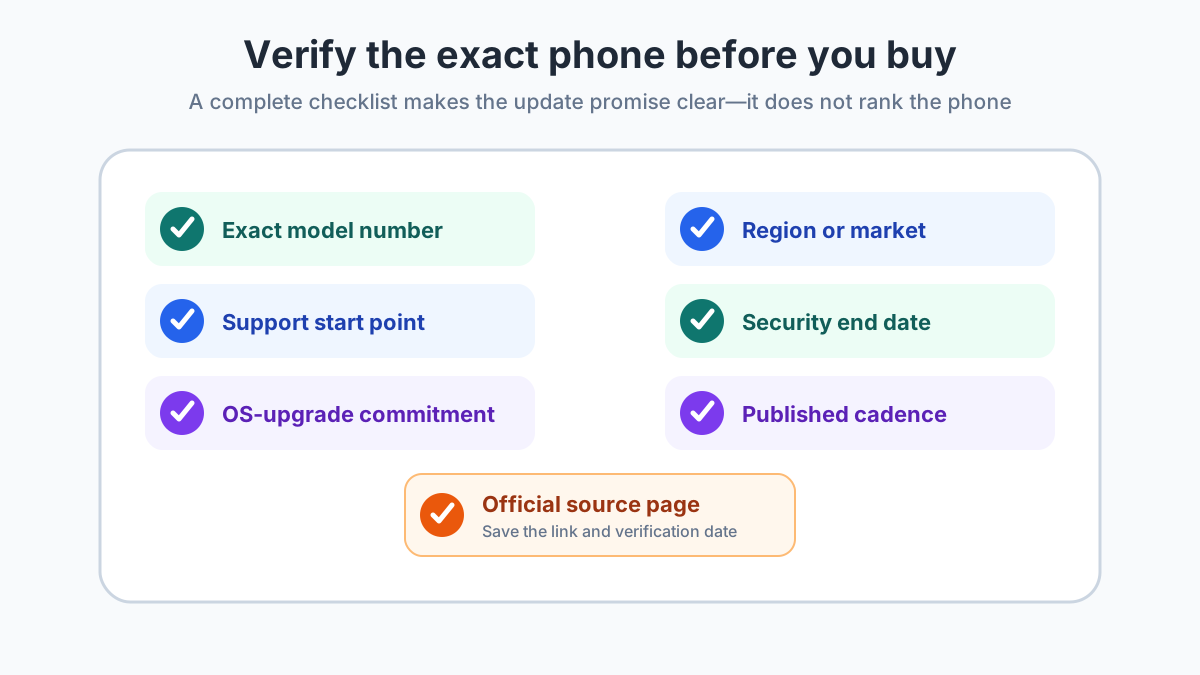
If a field is missing on the official page, write unknown. A newer phone from the same brand does not fill the blank. Completing the record makes two phones comparable. It does not rank cameras, battery, or price.
Save the model, region, start, security end, OS commitment, cadence, source, and the day you checked. Unknown stays unknown.
Scroll horizontally to read the labels in this diagram.
On the phone itself, Android Help says to connect to Wi-Fi and charge to at least 75 percent before a large update. The version screen is Settings, About phone or About tablet, Android version. On a Pixel, the manual check is Settings, System, Software update. Update schedules vary by device, manufacturer, and carrier. Older devices cannot always run a newer Android version. To receive the latest security update available for that device, it needs the latest Android version available for that device.[2]
The policy has to match the variant in your hand. A global unit and a China unit can carry different software even when the brand name matches, which is the check in global version and China version phones. If the shortlist is a Galaxy S26 and a Pixel 10, the rest of the buying choice is in Galaxy S26 vs Pixel 10.
Where a managed-device rule is different
Android Enterprise Recommended is a device program, not a promise printed on every consumer phone. In the Knowledge worker and Rugged devices 16.0 block, manufacturers must publish the SMR support end date, meaning the last month and year the device is guaranteed to receive security updates, and they must publish the security-update frequency, with every 30 days and every 90 days given as examples. They must support emergency security maintenance releases until that SMR end date. Devices must support one OS version beyond the version on which the device was validated, and they should support seven OS version upgrades from that validated version. Manufacturers must publish the guaranteed OS upgrades.[9]
The same requirements page still contains older blocks. The line that security updates must be available for five years from the initial ship date sits under Rugged devices 9.0-10.0. It is not the Android 16 requirement. Use the block that matches the validation you are reading. How that program fits a fleet, as distinct from a personal phone, is laid out in standard and custom Android devices.
What to recheck
- Maker support pages change as new models launch; verify the current policy table before purchasing.
- Pixel rollout still depends on the device and the carrier, and Google says arrival can take a few weeks after the update exists.[1]
- Galaxy S26+ and Galaxy S26 Ultra are named in the series announcement. The seven-year sentence on that page names Galaxy S26. Leave the other two models unknown until their own sentence or support page states a window.[5]
- Xiaomi’s 2-year line is a general floor after first shipment, not a model-by-model end date.[8]
- Fairphone’s patch interval and OnePlus OS-upgrade counts are unknown on the pages cited here.
Sources & methodology9 sources
Evidence used for this article. Links open the original source in a new tab.
- Learn when you'll get software updates on Google Pixel phones — Google Pixel Help
- Check and update your Android version — Android Help
- Mainline — Android Open Source Project
- Android Security Bulletin, October 2026 — Android Open Source Project
- Samsung Unveils Galaxy S26 Series — Samsung Global Newsroom
- The Fairphone (Gen. 6) — Fairphone
- Product Security Update Period — OnePlus UK
- How long do Xiaomi phones usually get updated with software/ Security patches? — Xiaomi Global Support
- Android Enterprise Recommended requirements — Android Enterprise
TasteOfAndroid is responsible for this page. The byline, method and commercial relationships are on the editorial policy and the author page.