
Contents
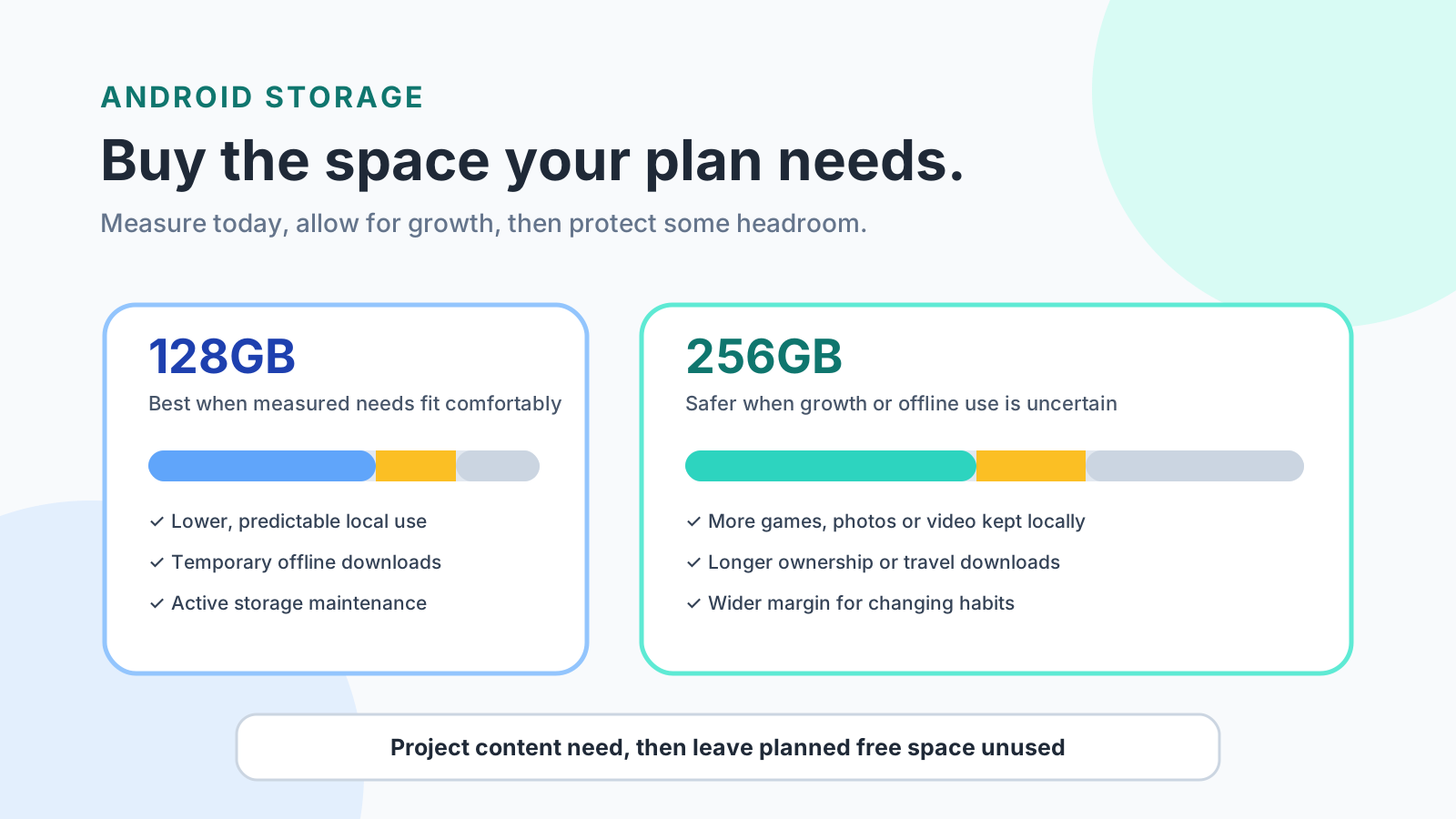
Low free space on a 128GB Android phone costs you the trouble Android Help warns about, and YouTube blocks new downloads once less than 5 percent remains. Buy 256GB when measured local use, growth, and the offline peak leave a negative margin after the free-space reserve on that model’s available space.
Choose 128GB when a lower-growth row and a higher-growth row both leave a positive margin inside that Android model’s available space. Choose 256GB when the higher-growth margin turns negative. Android Help says the phone can start having issues when less than 10 percent of storage is free, and YouTube Help stops new downloads once less than 5 percent remains. A standard Google Account includes up to 15 GB shared across Drive, Gmail, and Photos, and a paid Google One plan raises that account pool to 100 GB or more. Those figures never become internal phone capacity. The worksheet uses available space from the storage screen, not the 128GB or 256GB label on the box.
Scroll horizontally to view all table columns.
| Input or item | Typical value or source | Why it matters |
|---|---|---|
| Low-storage floor | Less than 10% free. Android Help, checked 17 October 2026 | The phone can start having issues at this point |
| YouTube download block | Less than 5% free. YouTube Help, same date | New offline downloads stop |
| Planning reserve on the diagram | 15% of available space, or 20% when growth is uncertain | Holds the worksheet above the 10% floor |
| Standard cloud pool | Up to 15 GB, shared by Drive, Gmail, and Photos. Google One Help | Account storage, separate from the phone |
| Paid cloud pool | 100 GB or more on a paid Google One plan. Same page | Still account storage, not internal capacity |
| Advertised tier | 128GB or 256GB on the product page for your market | The formula uses available space A, which varies by model |
How do you choose 128GB or 256GB?
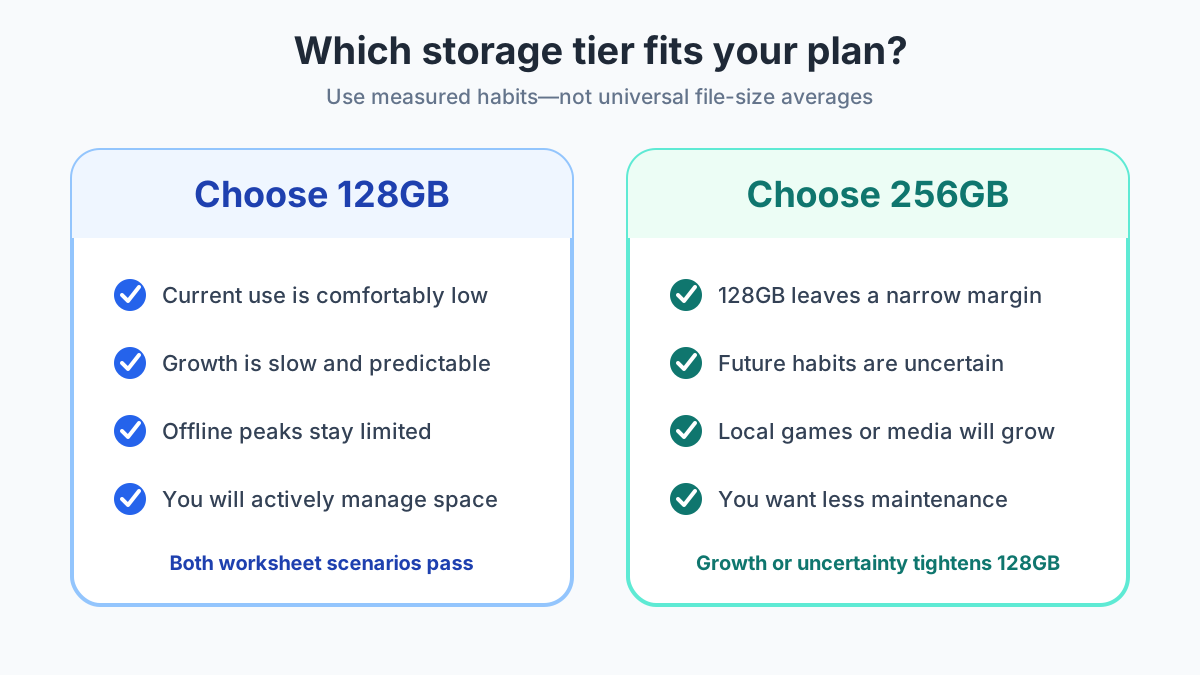
Run the margin on the exact model’s available space. A positive margin on both growth rows supports 128GB. A negative higher-growth margin supports 256GB.
Scroll horizontally to view all table columns.
| Tier | Passes when | Dominant failure mode | Prevention |
|---|---|---|---|
| 128GB | Both rows keep a positive margin after the reserve | Free space falls under 10%, so the phone starts having issues, and YouTube downloads stop under 5% free | Keep the diagram’s 15% or 20% reserve, and delete device copies only after backup |
| 256GB | The 128GB higher-growth margin is negative and this tier’s margin stays positive | The larger pool still fills, or you carry capacity you do not use | Run the same formula on that variant’s available space. A negative margin means the offload plan has to change |
Scroll horizontally to read the labels in this diagram.
What counts as phone storage?
Read available space in Settings. Android Help says that screen is where most phones show remaining storage, and that the menus vary by phone.[1] Use that available figure as A. The 128GB or 256GB badge on the product page is a different label.
Storage and memory are different parts. Pixel Help describes storage as the place that keeps data such as music and photos, and memory as the place that runs programs, including apps and the Android system.[2] Size working memory from the memory spec in the Android RAM guide. The 256GB badge is a storage label.
Cloud space is a third pool. Google One Help says every Google Account comes with up to 15 GB of cloud storage, shared across Drive, Gmail, and Photos. A paid Google One plan raises total account storage to 100 GB or more, depending on the plan.[5] Photos backed up in Original quality count toward that account. Storage saver also counts, except photos and videos backed up in the older High quality setting before 1 June 2021.[3] Android device backups, including SMS, call logs, device settings, and app data, sit in the same account pool. Google One Help also counts the named chat-app backup on that page.[5]
Deleting some cloud items does not shrink that account total. Google Photos Help lists uploads from certain Pixel backup qualities, pre-June 2021 Storage saver copies, and partner-shared items as content you can remove without changing available account storage.[4]
How do you calculate the margin?
Fill four inputs from the phone you have now, then compare them with A on the model you are buying.
- Record current local content you will carry, in GB. Call it U.
- Subtract only files you will actually remove. Call that D. A completed backup is not a removal until you delete the device copy.
- Add growth over the years you plan to keep the phone. Call it G. If you have two storage readings, the observed rate is (U now − U then) / years between them. Worked example: a rise from 28 GB to 40 GB across 2 years is (40 − 28) / 2 = 6 GB per year, so a 3-year plan sets G = 6 × 3 = 18 GB. With no history, run a lower G and a higher G instead of one invented rate.
- Add the extra offline peak that is not already inside U. Call it O. YouTube Help says higher-quality downloads take up more space on the device.[7]
The diagram reserves 15% of available space, or 20% when growth is uncertain. That reserve sits above the 10% floor in Android Help. It is the planning input b on the worksheet, so you can substitute a stricter share if you want more headroom.
Projected content:
P = U - D + G + O
Content allowance:
Allowance = A * (1 - b)
Margin:
Margin = Allowance - P
Worked example, with assumed inputs so the arithmetic is visible. These gigabytes are not a measurement of a specific phone. U = 48 GB, D = 6 GB, G = 14 GB, O = 10 GB, A = 108 GB, b = 0.15. P = 48 - 6 + 14 + 10 = 66 GB. Allowance = 108 * (1 - 0.15) = 91.8 GB. Margin = 91.8 - 66 = 25.8 GB. That assumed 128GB case clears the 15% reserve.
The same formula with a heavier case, G = 36 GB and O = 18 GB, gives P = 48 - 6 + 36 + 18 = 96 GB and Margin = 91.8 - 96 = -4.2 GB. The assumed 128GB tier fails. Repeat the line with the 256GB variant’s own A. An assumption of A = 230 GB gives Allowance = 230 * 0.85 = 195.5 GB and Margin = 195.5 - 96 = 99.5 GB. Replace both A values with the numbers on those storage screens before you buy.
When this does not apply: if the exact model and market are still unknown, A is unknown and a close margin stays unresolved. Preinstalled apps are part of why A is smaller than the badge. The bloatware cleanup guide covers what you can remove after setup. Subtract only the removals you will actually make, and keep them in D.
Scroll horizontally to read the labels in this diagram.
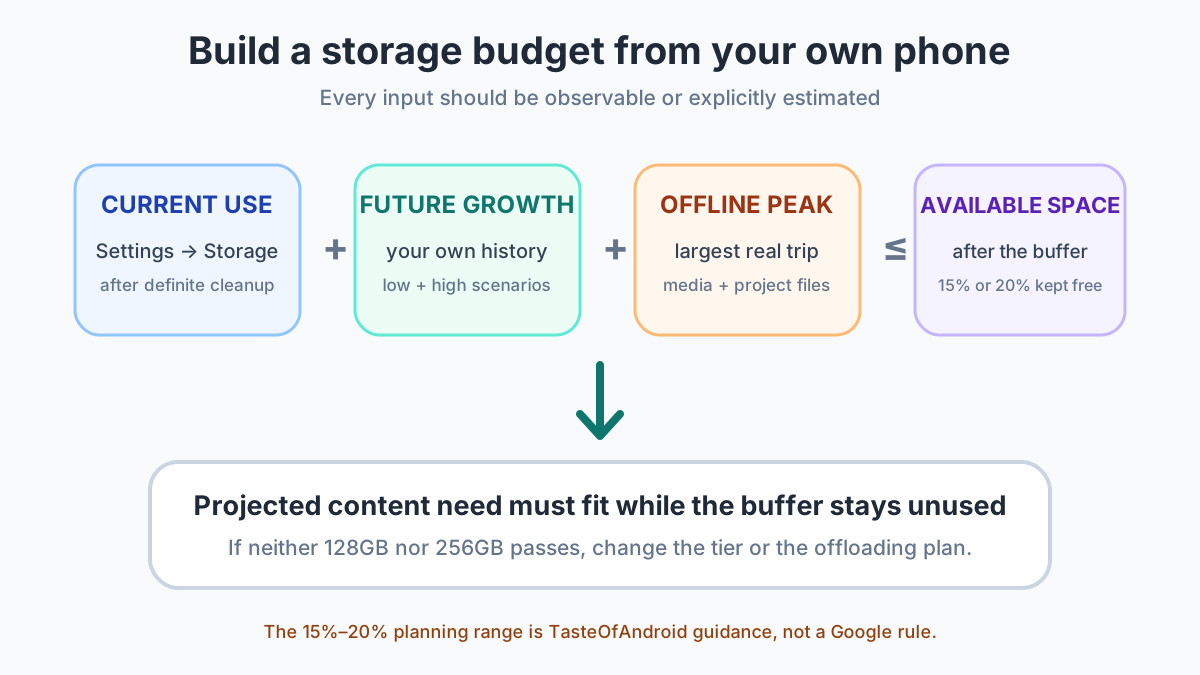
The hidden cost of a failing 128GB row is the cleanup you repeat whenever free space nears those floors: archive an unused app, remove downloads, and confirm backup before you delete device photos. That work lasts as long as you keep the phone. The hidden cost of 256GB is capacity that stays empty. The step-up between the two tiers depends on the model, the market, and the seller. Confirm the Android backup before any local deletion, then use the new-phone setup guide once the tier is chosen.
When does 128GB hold?
128GB holds when both worksheet rows stay positive and you will remove local copies on purpose.
A storage screen that is still low, growth you have already measured, and media you stream or delete after backup.
A new offline habit or a longer ownership period can push the higher-growth row through the reserve.
Skip 128GB when the higher-growth margin is already negative or you will not clear space on a schedule.
Temporary downloads fit this tier when you delete them after the trip. The pass condition is the margin, including the reserve, across the whole ownership period.
When is 256GB the tier to buy?
Buy 256GB when the higher-growth row fails on the 128GB model’s available space and passes on the 256GB model’s available space.
Local games, camera originals, family media, and travel downloads that stay on the phone for years.
You can pay for gigabytes the worksheet shows you will not fill. The step-up still varies by model, market, and seller.
Skip the step-up when both rows pass on the 128GB model with the reserve intact.
256GB is the tier with more room under the same floors. It is not an open-ended pool. If its margin is also negative, raise the tier again or cut O and G by deleting downloads and device copies after backup.
What do cloud, cleanup, and a microSD card change?
They change the maintenance routine. They do not add a second internal capacity.
On a Pixel, Smart Storage can clear backed-up photos and videos when storage is almost full. The same help page says you can delete the copies on the phone after a Google Photos backup and still open the backed-up copies in the app while the phone is online. Some of those Pixel steps work only on Android 11 and up.[2] Other phones use different menus. Delete the device copy only after the backup is the one you can open.
App archiving removes the app’s software, permissions, and temporary files, stops its notifications, and keeps the icon and the app data. Android Help limits part of that flow to Android 15 and up, and to phones with supporting hardware.[6] Archiving reclaims part of the app. It does not turn 128GB into 256GB.
Files by Google can find duplicate files and mark the original with an Original badge. The help page says to keep that original.[9] Clearing junk files frees temporary app files and leaves app settings in place. The same help page says files cleared or deleted there are permanently deleted.[10] Treat that cleanup as a removal you meant to make, and count it in D only after you have done it.
A microSD card stores YouTube downloads off internal storage only when the phone has a card. YouTube Help says that if the device does not use an SD card, videos save to internal memory. The page lists eligibility as a YouTube Premium membership, a country where downloads are available, or a video you uploaded.[8] Offline downloads themselves exist only in the locations that YouTube lists, and a download stops when free space is under 5%.[7] Do not add the card’s capacity to A unless the files in O will actually live on the card.
How does ownership length change the margin?
G grows with the years you keep the phone. A storage screen that passes today can fail the higher-growth row in the final year if you leave the reserve out.
Scroll horizontally to read the labels in this diagram.
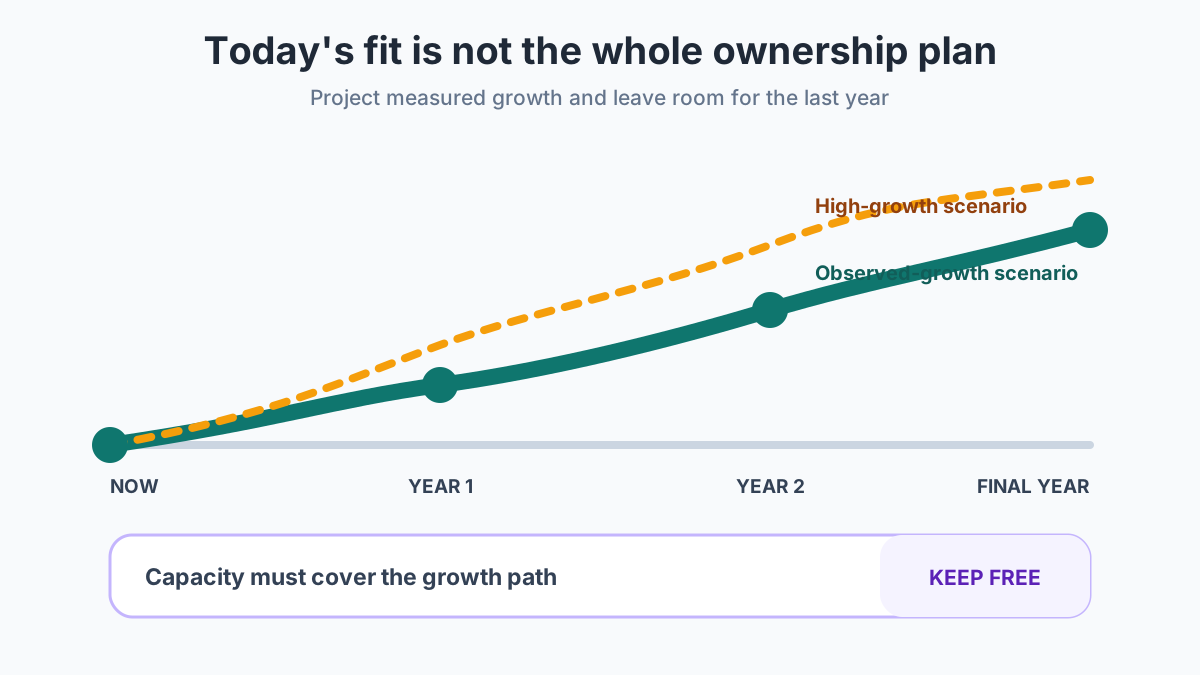
If 128GB passes only the lower-growth path, 256GB is the tier that still clears the reserve. If both paths pass, 128GB remains the fit. Software support is a separate limit on those years. Check it in the Android update-support guide.
Buy the smaller tier whose available space still shows a positive margin after U, D, G, O, and the reserve. Then read more Buying Guides or the latest Android guides.
Method and sources
Pages checked on 17 October 2026: Android Help, Pixel Phone Help, Google Photos Help, Google One Help, YouTube Help, and Files by Google Help. The 10% floor and the 5% download block come from those pages. The 15% and 20% reserves are the planning shares drawn on the storage-budget diagram, set above that floor. The worked example uses assumed gigabytes so the arithmetic is visible. Read U, D, G, O, and A from the phone you have and the model you are buying. Updated October 2026.
Frequently Asked Questions
Is 128GB enough for Android in 2026?
Yes, when both a lower-growth row and a higher-growth row leave a positive margin on that model's available space after the 15 percent reserve, or the 20 percent reserve when growth is uncertain. A negative higher-growth margin is the case for 256GB.
Does Google Photos automatically free phone storage?
Backup and deleting the copy on the phone are separate steps. On a Pixel, Smart Storage can remove backed-up photos and videos when storage is almost full, and you can delete device copies after a Google Photos backup. Other phones expose different controls, and some Pixel steps apply only on Android 11 and up.
Can cloud storage replace 256GB?
No. A standard Google Account includes up to 15 GB shared across Drive, Gmail, and Photos. A paid Google One plan raises that account pool to 100 GB or more. Neither figure is space inside the phone.
Does more storage make an Android phone faster?
A 256GB capacity does not add working memory. Pixel Help separates storage, where the phone keeps data, from memory, where programs run. Compare RAM on its own terms.
Can a microSD card replace larger internal storage?
Only for apps that can write to a card the phone actually has. YouTube can save downloads to an SD card on a device that uses one. With no card, YouTube says those videos save to internal memory.
Sources & methodology10 sources
Evidence used for this article. Links open the original source in a new tab.
- Speed up a slow Android device — Android Help
- Free up space on a Pixel phone — Pixel Phone Help
- Choose the backup quality of your photos and videos — Google Photos Help
- Manage your storage — Google Photos Help
- How your existing storage works with Google One — Google One Help
- Archive unused apps on Android — Android Help
- Watch videos offline on mobile in select countries and regions — YouTube Help
- Download YouTube videos to an SD card — YouTube Help
- Delete duplicate files — Files by Google Help
- Clear your junk files — Files by Google Help
TasteOfAndroid is responsible for this page. The byline, method and commercial relationships are on the editorial policy and the author page.
Related Articles
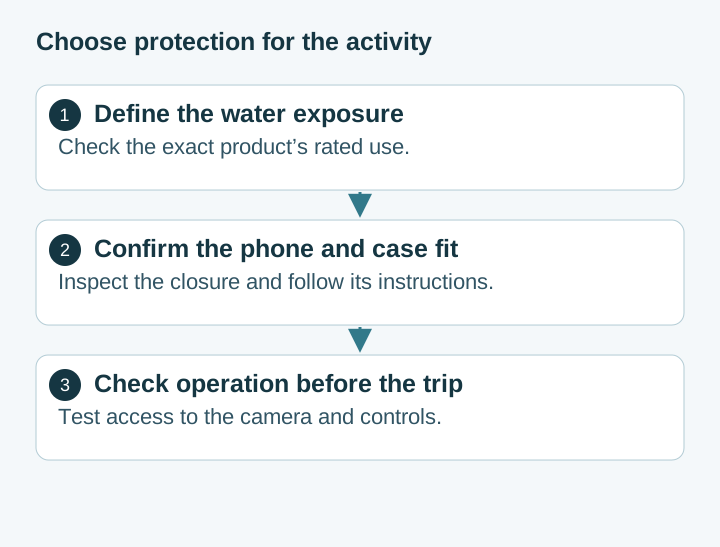
Choosing Waterproof Phone Cases: IP Ratings, Seal Condition and Fit
Compare rigid waterproof phone cases and pouches by model fit, manufacturer-rated use, closure condition and controls. Understand the limits of phone barometer checks.
Pocket Casts vs AntennaPod: Choose and Move Your Podcasts
Choose Pocket Casts or AntennaPod by playback controls and sync needs, then move subscriptions with OPML while protecting listening progress and settings.
Xodo vs Flexcil: PDF Annotation and Signing on Android
Study marks, a visual signature, and a signing request are different jobs. Follow the public steps, then reopen a copied PDF. These pages do not name a winner or a price.