
Contents
- Which Termux installation channel should you choose?
- Keeping add-on signatures matched
- How does Termux package management differ from desktop Linux?
- Why pkg is preferred over raw apt
- Boundaries that break a Termux environment
- Where should your scripts live? Internal $HOME vs shared storage
- Why scripts fail on /sdcard or microSD cards
- Protecting files before uninstalling or clearing app data
- Suggested first check: verify paths, packages, and a starter Python script
- Step 1 — Confirm $HOME, $PREFIX, and your single-user identity
- Step 2 — Upgrade packages and install Python, Git, and OpenSSH
- Step 3 — Run a disposable Python environment check in $HOME
- Android background limits and when Termux is not the right tool
- Frequently Asked Questions
- Why does installing a Termux add-on fail with an incompatible signature error?
- Can I install standard Ubuntu or Debian .deb packages inside Termux?
- Why does Termux show Process completed (signal 9) on Android 12 or newer?
- Method and sources
Mixing Termux installation channels or placing scripts on shared storage causes failed add-on installs and permission errors. Install the core app and any add-ons from one matching source—typically F-Droid or the official GitHub releases on Android 7 or newer—and keep executable scripts inside your internal $HOME directory.
For readers looking for a practical termux beginner guide android workflow, Termux provides a non-root Android terminal environment with ported command-line utilities for Python, Git, and OpenSSH client tasks 2 4. It is not a full desktop Linux distribution or a virtual machine: all packages are cross-compiled with the Android NDK against Bionic libc and installed under /data/data/com.termux/files/usr ($PREFIX), which means standard Debian or Ubuntu .deb packages will fail 4 5 7. Current project documentation checked October 17, 2026 lists v0.118.3 as the latest release for Android 7+ and distinguishes the main F-Droid and GitHub builds from a separate experimental Google Play codebase for Android 11+ 1 3.
This guide is compiled from official Termux documentation checked October 17, 2026. The package commands and starter Python script below are proposed verification checks for your own phone, not results from device benchmarking by us. See our review policy for how we separate documentation research from hardware testing.
Scroll horizontally to view all table columns.
| Setup decision | Documented rule or value | Why it changes your setup |
|---|---|---|
| Android version | Android >= 7 for full app and package support 1 |
Android 5/6 app-only re-addition on GitHub has no package update support 1 |
| Primary install source | F-Droid (~180MB universal) or official GitHub apt-android-7 (~180MB universal / ~120MB arch-specific) 1 |
Google Play hosts a separate experimental Android 11+ branch with missing features 1 3 |
| Add-on compatibility | Core app and plugins share sharedUserId com.termux 1 |
Every APK must come from the exact same source and signing key 1 |
| Package wrapper | Use pkg (pkg upgrade, pkg install) instead of raw apt 5 |
pkg updates indices automatically and load-balances across mirrors 5 |
| Working directory | Internal $HOME (/data/data/com.termux/files/home) 4 6 |
Shared storage (~/storage/shared) blocks chmod, symlinks, and direct execution 6 |
| Background limit | Android 12+ caps combined phantom processes at 32 1 | Excess background tasks terminate with [Process completed (signal 9)] 1 |
A matte-black smartphone connected to an aluminum USB-C hub on a workbench mat.
Which Termux installation channel should you choose?
Start with F-Droid or the official termux/termux-app GitHub releases on Android 7 or newer, and never mix APKs across channels 1. Older tutorials often state simply that Google Play builds are abandoned, while current official documentation explains a more specific split: Google Play now carries a separate experimental branch for Android 11+ devices built from https://github.com/termux-play-store/, whereas F-Droid and GitHub distribute the main codebase (latest release v0.118.3 in the reviewed README) 1 3.
Scroll horizontally to view all table columns.
| Channel | Signing & build authority | Footprint (APK + bootstrap) | Documented constraints |
|---|---|---|---|
| F-Droid | Built and signed by F-Droid after detecting a GitHub release 1 | ~180MB (universal APK only) 1 |
Updates trail GitHub by several days to a week+; Termux maintainers do not hold F-Droid signing keys 1 |
| GitHub Releases & Build Actions | Built by Termux repo workflows; signed with a public community test key 1 | ~180MB universal or ~120MB architecture-specific 1 |
Install apt-android-7 on Android 7+; download only from termux/termux-app because anyone can sign files with the public test key 1 |
| Google Play Store (Experimental) | Separate termux-play-store repository for Android 11+ 1 3 |
Not specified in main README; verify on listing | sharedUserId removed; has missing functionality and bugs compared to F-Droid; report issues only to the Play Store repo 1 3 |
Keeping add-on signatures matched
The core Termux app supports six optional plugin apps: Termux:API, Termux:Boot, Termux:Float, Termux:Styling, Termux:Tasker, and Termux:Widget 1. In the main F-Droid and GitHub builds, the base app and all six plugins declare the same Android sharedUserId (com.termux) 1. Android’s package manager requires every app sharing that user ID to carry an identical cryptographic signature 1.
If you install Termux from F-Droid and later try to install Termux:API or Termux:Widget from GitHub, Android blocks the installation with errors such as App not installed, INSTALL_FAILED_UPDATE_INCOMPATIBLE, INSTALL_FAILED_SHARED_USER_INCOMPATIBLE, or signatures do not match previously installed version 1.
To prevent channel conflicts:
- Pick one channel before installing plugins. If you use F-Droid, install both Termux and any
Termux:*add-ons from F-Droid (you can download the APK directly on the F-Droid package page or use the F-Droid client) 1. For a broader look at how F-Droid package IDs and signing keys work, see our F-Droid app selection and signing guide. - Disable Google Play auto-update if you use F-Droid or GitHub. Because the experimental Google Play build removed
sharedUserId, Google Play can attempt to overwrite an existing F-Droid installation and fail 1. Open the Termux listing in the Google Play Store app, tap the three-dots menu in the top right corner, and uncheck Enable auto update 1. - Never install GitHub builds re-uploaded to Telegram or social media. The official README warns that GitHub APKs use a publicly shared
testkey_untrusted.jkscertificate, meaning third parties can forge malicious updates that install cleanly over a GitHub build 1. - Uninstall every Termux APK before switching channels. If you decide to move from Google Play or GitHub to F-Droid, back up your files first, open Android Settings → Applications, search for
termux, and uninstall the main app plus every installedTermux:*plugin before installing from the new source 1.
Takeaway: Verify where your base Termux APK came from before adding Termux:API or Termux:Widget; switching channels later wipes internal app directories during uninstallation 1 6.
How does Termux package management differ from desktop Linux?
Use the pkg wrapper for daily package operations, upgrade existing packages before installing new ones, and never add Debian or Ubuntu repositories 4 5. Although Termux uses Debian-style apt and dpkg under the hood, it is a rolling-release Android environment rather than a standard GNU/Linux distribution 4 5.
Why pkg is preferred over raw apt
The official Package Management wiki recommends pkg instead of calling apt directly for three reasons 5:
- It runs
apt updateautomatically before installing a package when the index is stale 5. - It performs client-side load balancing by rotating between official repository mirrors, helping prevent hosting quota failures 5.
- It provides concise subcommands such as
pkg inforpkg install5.
Scroll horizontally to view all table columns.
| Task | Command | Operational note from Termux documentation |
|---|---|---|
| Upgrade all installed packages | pkg upgrade |
Run regularly (at least weekly) and before installing new packages 4 5 |
| Install a package | pkg install <package-name> |
Installs from Termux repositories into $PREFIX 4 5 |
| Search available packages | pkg search <query> |
Searches the active repository index 5 |
| Inspect package metadata | pkg show <package> |
Displays version, dependencies, and description 5 |
| List installed packages | pkg list-installed |
Confirms what is currently present in $PREFIX 5 |
| List files in a package | pkg files <package> |
Shows exact paths under /data/data/com.termux/files/usr 5 |
| Remove a package | pkg uninstall <package-name> |
Leaves modified config files intact; use apt purge to remove configs 5 |
Clear cached .deb archives |
pkg autoclean or pkg clean |
Removes outdated or all cached .deb files to reclaim storage 5 |
| Switch repository mirror | termux-change-repo |
Useful when a regional mirror reports maintenance or slow downloads 1 5 |
| Subscribe to optional repos | pkg install root-repo, x11-repo, science-repo, or game-repo |
Official topic repositories signed via termux-keyring 5 |
Boundaries that break a Termux environment
Keep four documented package restrictions in mind before copying commands from general Linux forums:
- Do not install Debian or Ubuntu
.debfiles: Standard Linux distributions follow the Filesystem Hierarchy Standard (/bin,/etc,/usr) and link against GNUlibc(glibc) 7. Termux places its environment under/data/data/com.termux/files/usr($PREFIX) and compiles packages with the Android NDK against Android’s Bionic libc 4 7. Adding Ubuntu lines tosources.listor forcing foreign.debfiles withdpkgwill not work 5 7. - Do not disable repository signature verification: Official packages are verified using public keys in the
termux-keyringpackage 5. Ifpkg upgradereports a repository error, switch mirrors withtermux-change-repoor update from a supported Termux build rather than bypassing GPG integrity checks 1 5. - Do not run
aptorpkgas root: Even on rooted phones, Termux restricts runningaptunder root because root execution alters file ownership and SELinux labels on Android’s/datapartition 5 6. - Do not expect package downgrades: Termux repositories do not retain historical versions of
.debpackages to save server disk space 4 5. If your workflow depends on a specific compiler or interpreter release, back up your environment before running a major upgrade 4 8.
Where should your scripts live? Internal $HOME vs shared storage
Write and execute your scripts, Git repositories, and SSH keys inside Termux’s internal $HOME directory (/data/data/com.termux/files/home), and use shared storage (~/storage/shared) only to exchange non-executable data files with other Android apps 4 6.
Physical card trays and USB drives use Android storage layers that restrict Linux permissions and direct script execution.
The Termux storage documentation divides device storage into three categories with strict filesystem boundaries 6:
Scroll horizontally to view all table columns.
| Storage type | Typical path in Termux | chmod / chown support |
Symlinks & sockets | Direct executable support | Access mode (non-root) |
|---|---|---|---|---|---|
Internal storage ($HOME / $PREFIX) |
/data/data/com.termux/files/home and .../usr 4 |
Yes 6 | Yes 6 | Yes 6 | Read/write inside app sandbox 6 |
| Shared storage | ~/storage/shared, ~/storage/downloads 6 |
No 6 | No 6 | No 6 | Read/write after termux-setup-storage permission 6 |
| External storage (microSD / USB) | ~/storage/external-1 6 |
No 6 | No 6 | No 6 | Read-only outside Android/data/com.termux private folder 6 |
Why scripts fail on /sdcard or microSD cards
Android exposes shared storage and adoptable microSD cards through filesystem overlays that emulate FAT32/exFAT behavior and block Unix permissions (chmod/chown), symbolic links, sockets, and direct binary execution 4 6. Because $PREFIX is hardcoded into Termux binaries and requires Unix permissions and symlinks, you cannot move $HOME or $PREFIX onto an SD card 4 6 7.
When you want to move a finished text output, CSV, or archive into your phone’s Download folder, run:
termux-setup-storageAccepting the Android prompt grants storage access and creates $HOME/storage containing symlinks such as ~/storage/shared (root of shared internal storage) and ~/storage/downloads 6.
Protecting files before uninstalling or clearing app data
Because $HOME, $PREFIX, and the external private folder ~/storage/external-1 (Android/data/com.termux) belong to the Termux app sandbox, uninstalling Termux or tapping Clear Data in Android Settings permanently erases all of them 6 7 8.
- Manual full archive (
$HOME+$PREFIX): The official backup wiki documents archiving both./homeand./usrto shared storage outside private Termux folders:
Storetermux-setup-storage tar -zcf /sdcard/termux-backup.tar.gz -C /data/data/com.termux/files ./home ./usr/sdcard/termux-backup.tar.gzoutside/sdcard/Android/data/com.termuxso an uninstall does not delete the archive 8. - Supplied
termux-backup/termux-restorelimitation: The helper scripts included intermux-tools(termux-backup /sdcard/backup.tar.xz) back up and restore$PREFIX(./usr) only and do not touch$HOME8. Back up your$HOMEprojects separately, or sync a dedicated folder outside the private sandbox using our Syncthing Android-to-PC folder sync guide alongside the Android phone backup checklist.
Suggested first check: verify paths, packages, and a starter Python script
Before building larger workflows, run a bounded check inside $HOME that confirms your directory paths, package index, and a single standard-library Python script. The sequence below is a proposed editorial check grounded in Termux’s documented paths and package commands, not a record of device testing 2 4 5 7.

Termux supports external keyboards for longer shell sessions while keeping scripts inside the app’s private home directory.
Step 1 — Confirm $HOME, $PREFIX, and your single-user identity
Open Termux and run these read-only inspection commands:
pwd
echo "$PREFIX"
whoami- What to expect:
pwdshould report/data/data/com.termux/files/home,$PREFIXshould report/data/data/com.termux/files/usr, andwhoamiwill show an Android sandbox user ID such asu0_a231rather thanrootor a desktop login name 4 7. - Stop condition: If
pwdpoints inside~/storage/sharedor/sdcard, return to$HOMEwithcd ~before creating scripts or keys 6.
Step 2 — Upgrade packages and install Python, Git, and OpenSSH
Refresh the rolling-release environment first, then install the core tools documented on the main Termux site 2 4 5:
pkg upgrade
pkg install python git openssh
python3 --version
git --version
ssh -V- What to expect: Each
--versionor-Vcheck prints the installed binary version from$PREFIX/binwithout dynamic linker errors 5 7. - If downloads fail: Run
termux-change-repoto select an active mirror rather than editingsources.listwith non-Termux URLs 1 5.
Step 3 — Run a disposable Python environment check in $HOME
Create a small workspace inside $HOME and run a one-file Python check that inspects your current path and platform:
mkdir -p ~/check-env && cd ~/check-env
cat << 'EOF' > env_check.py
import os, sys, pathlib

home = pathlib.Path.home()
prefix = os.environ.get("PREFIX", "unset")
print("Python executable:", sys.executable)
print("Home directory:", home)
print("PREFIX:", prefix)
print("Inside Termux home:", str(pathlib.Path.cwd()).startswith(str(home)))
EOF
python3 env_check.py- Pass condition:
sys.executableresolves under/data/data/com.termux/files/usr, andInside Termux homeprintsTrue. - Shebang note: If you later run standalone scripts starting with
#!/bin/shor#!/usr/bin/env python3directly via./script.py, Termux includestermux-execto translate standard shebang paths, or you can rewrite hardcoded headers withtermux-fix-shebang <file>7. - Cleanup: When finished, remove the disposable folder with
rm -rf ~/check-env.
Android background limits and when Termux is not the right tool
Treat Termux as an on-demand local shell or SSH client rather than an always-on server or a full GNU/Linux desktop 1 7.
- Android 12+ phantom process killing (
signal 9): The officialtermux-appREADME warns that Android 12 and newer terminate phantom background processes when the system-wide count across all apps exceeds 32, or when background processes use excessive CPU, printing[Process completed (signal 9) - press Enter]1. Android 12L and Android 13+ include a developer option to disable phantom process trimming; consult the README’s linked Android docs if background sessions terminate unexpectedly 1. - Single-user non-root boundaries: Without root, Termux cannot modify device firmware, kernel parameters, or hardware interfaces directly, and server packages (
ftpd,httpd,sshd) default to high ports (8021,8080,8022) because unprivileged Android apps cannot bind privileged ports below 1024 4 7. - When to use PRoot or a remote server instead: If a tool requires a standard Linux
/usrand/etclayout or unpatched glibc binaries, the Differences from Linux wiki notestermux-chroot(from theprootpackage) or a PRoot distribution—or use Termux’ssshclient to connect to a remote Linux machine 2 4 7.
For the rest of your mobile setup—including local Markdown notes, file managers, and automation—return to our Android productivity and essential apps guide.
Frequently Asked Questions
Why does installing a Termux add-on fail with an incompatible signature error?
Termux and its six official plugins share the Android user ID com.termux and must be signed with the exact same cryptographic key 1. Mixing an F-Droid core app with a GitHub or Google Play add-on fails; back up your files, uninstall every Termux APK, and reinstall all components from one channel 1.
Can I install standard Ubuntu or Debian .deb packages inside Termux?
No. Termux is not Filesystem Hierarchy Standard compliant and links binaries against Android’s Bionic libc rather than GNU libc 5 7. Adding Debian or Ubuntu repositories to sources.list or installing foreign .deb files breaks package management; install packages only from Termux repositories via pkg 5.
Why does Termux show Process completed (signal 9) on Android 12 or newer?
Android 12 and later enforce a system-wide limit of 32 phantom processes across all apps and terminate background tasks that exceed CPU or process thresholds 1. The official README links Android 12L and 13+ developer settings that disable phantom process trimming when background sessions terminate unexpectedly 1.
Method and sources
This guide was prepared with AI assistance and editorial review by TasteOfAndroid using the official termux/termux-app README, the termux-play-store organization, termux.dev, and the Termux Wiki pages on Getting Started, Package Management, Internal and External Storage, Differences from Linux, and Backing up Termux, all checked October 17, 2026. The command sequences and starter Python script are proposed verification steps derived from those specifications; we did not execute device benchmarks or audit APK binaries. Hardware photographs show physical workbench connections and input setups rather than terminal screenshots.
Last updated October 17, 2026.
Sources & methodology8 sources
Evidence used for this article. Links open the original source in a new tab.
- Termux application README: installation, plugins, signing keys and Android 12+ notice — Termux project (GitHub)
- Termux main site and overview — Termux project
- Termux Google Play Store experimental repositories — termux-play-store (GitHub)
- Getting started — Termux Wiki
- Package Management — Termux Wiki
- Internal and external storage — Termux Wiki
- Differences from Linux — Termux Wiki
- Backing up Termux — Termux Wiki
TasteOfAndroid is responsible for this page. The byline, method and commercial relationships are on the editorial policy and the author page.
Related Articles

Syncthing Android to PC: Setup, Conflicts and Recovery Checks
Set up Syncthing on Android and PC, map a shared folder, and check edits, conflicts and deletion recovery with disposable files before syncing real work.

Make a Simple Android Clock Widget with KWGT
Build one KWGT clock widget, resize it before loading the preset, and see why minute updates and taps can differ by launcher.
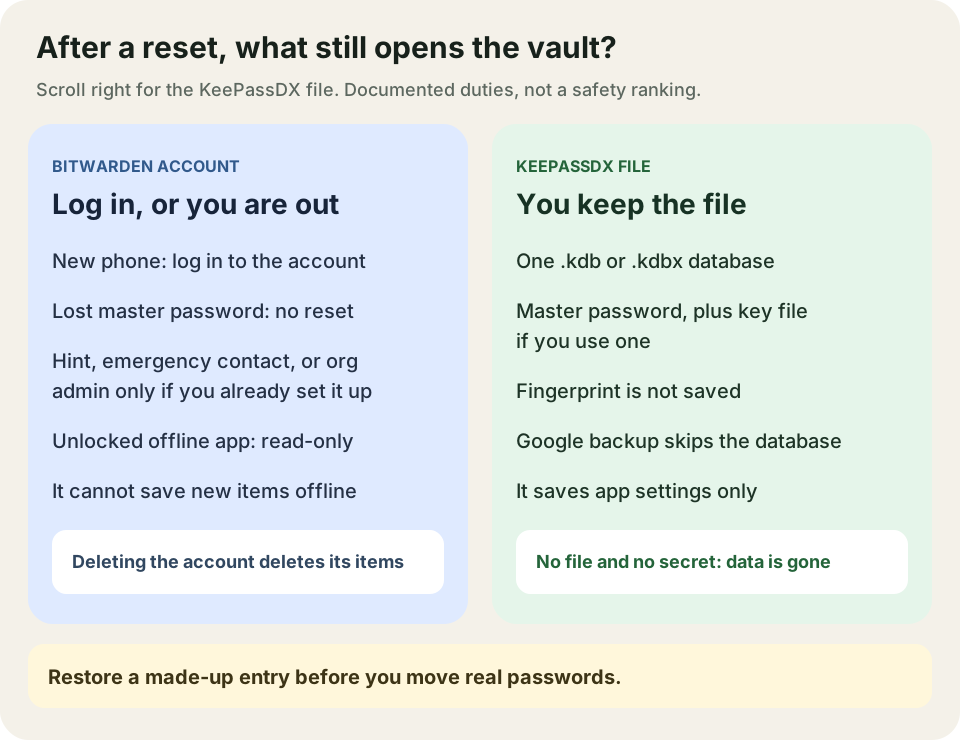
Bitwarden vs KeePassDX: Cloud Account or a Local Database
Compare Bitwarden cloud-account recovery with a KeePassDX database you control, then check Android autofill before moving real passwords.