
Contents
- Match the box, the About screen, and the sales market
- Ask the destination carrier, using this device ID
- Read Play Protect certification on that unit
- Check Android Auto, Wallet, and the SIM path one by one
- Count warranty months only for the program that names the phone
- Keep the US authorization file separate from the nickname
- Collect the proof before you pay
- How this page was checked
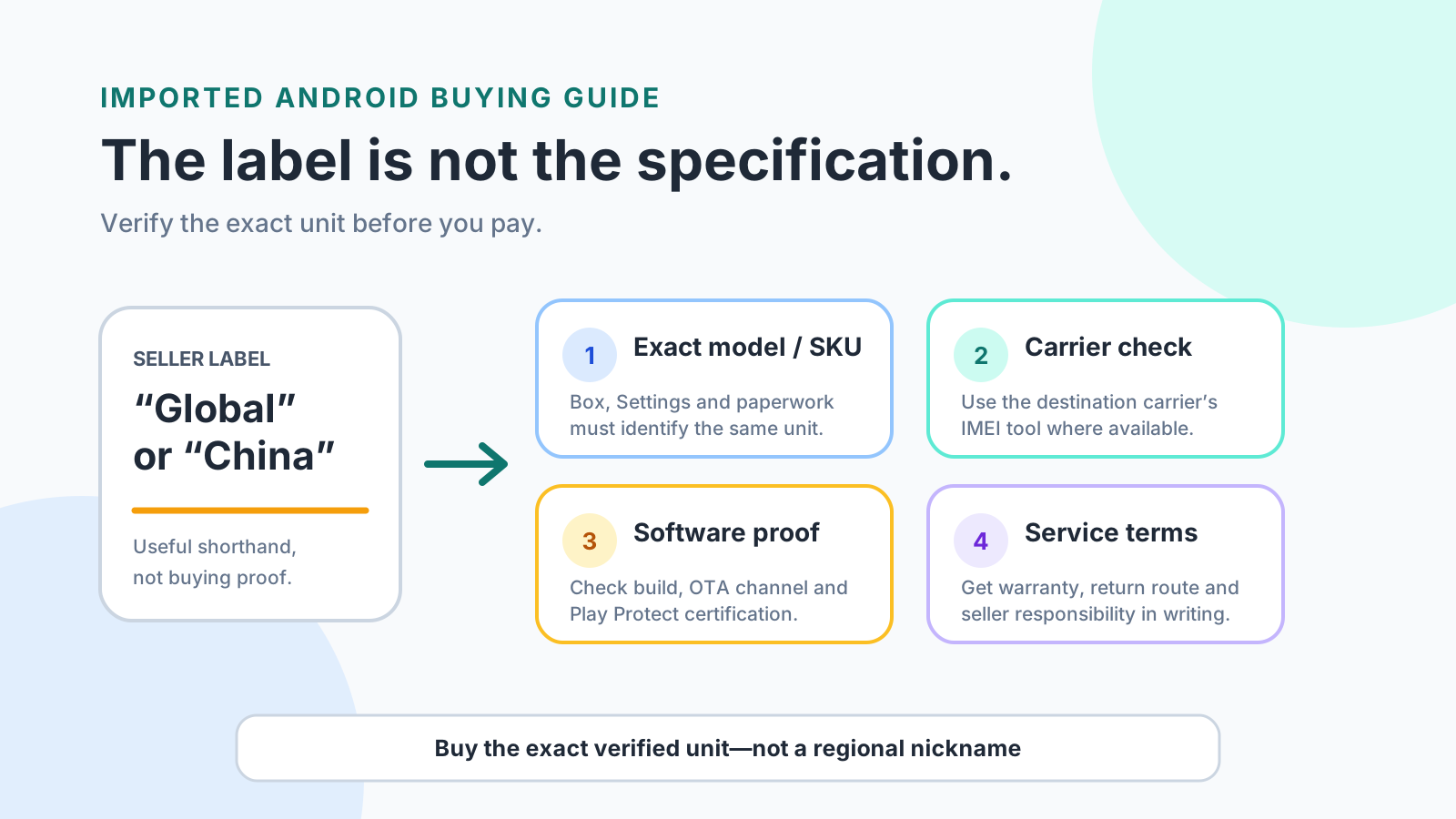
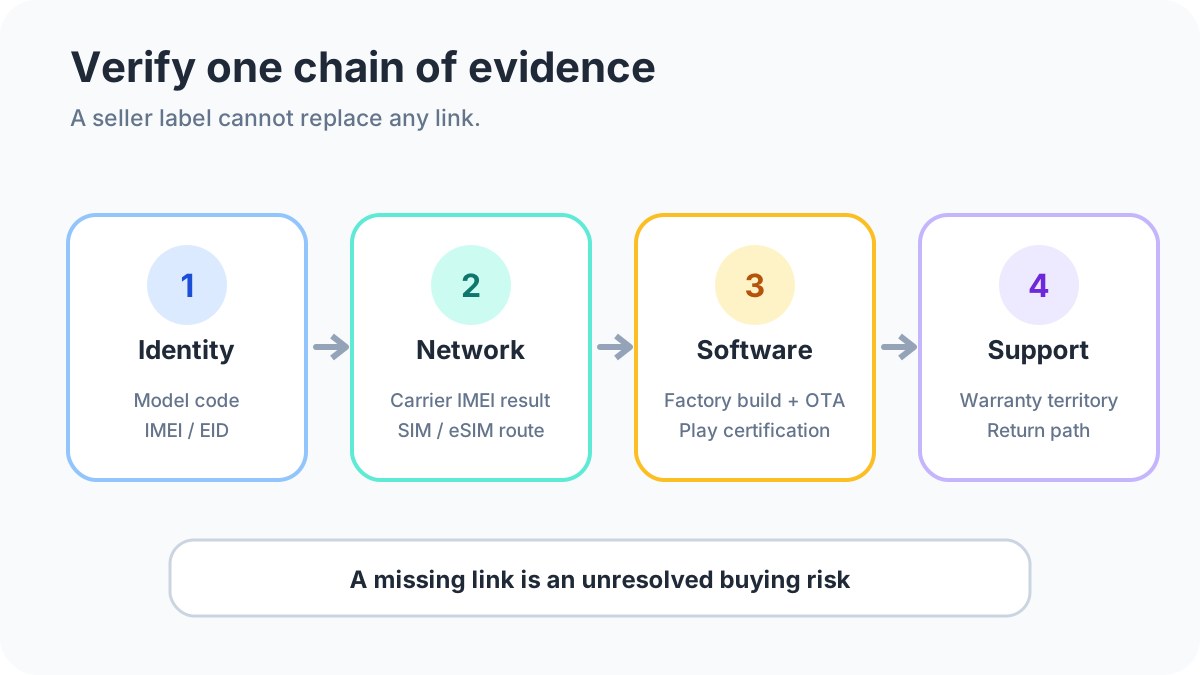
An imported phone can fail on the destination network, or leave you with a repair the manufacturer will not accept, when a Global Version or China Version label is the only evidence in the listing. The phone to buy is the unit whose box label, About phone model and build, carrier device check, Play Protect status, and written support terms all describe that same unit. Treat the label as seller shorthand and make those five records the purchase decision.
Buy the phone you can verify, whether the seller writes Global Version or China Version. Google says Play Protect certified devices include proprietary Google apps under license and have passed Android compatibility testing, and that only those devices are eligible to include Google apps such as the Play Store. Check that status on the unit you will receive: Play Store, profile icon, Settings, About. A destination carrier still has to accept the hardware and software. Verizon, one US example, requires an unlocked phone whose hardware and software pass its compatibility check, using the device ID from Settings, then About phone. Xiaomi’s international warranty, one manufacturer example, is 24 months from purchase and only for designated models bought from official channels in a supported market and activated locally. For a new phone marketed in the United States, a radio frequency device needs a valid FCC equipment authorization before it is marketed.
Scroll horizontally to view all table columns.
| Input or item | Published figure or rule | Why it matters |
|---|---|---|
| Play Protect gate | Certified devices include licensed Google apps and have passed Android compatibility testing | Only those devices are eligible to include the Play Store |
| Tests Google describes | Hundreds of security and permissions tests, plus 100,000+ app-compatibility tests | A logo on a listing still needs the About screen on the unit |
| Play services floor | Body text: Android 7.0 or higher with Play services installed. Summary line on the same page: Android 6.0 | A phone with Play services absent is outside the supported set on that page |
| Android Auto phone release | Android 11.0 or higher. Wireless projection also needs 5 GHz Wi-Fi | A lower release misses the published car-display requirement |
| Android Auto places | 46 names on the help page, from Argentina through Venezuela. China is not in the list. Taiwan is | Most features will not work outside that list |
| Verizon unlock wait | Up to 24 hours after the previous carrier unlocks the phone | A same-day activation plan on that network can miss the wait |
| Xiaomi international term | 24 months from purchase, designated models only, official channel, local activation | The service is not sold separately for other models |
| US consumer-phone SAR | 1.6 W/kg peak spatial-average, averaged over any 1 gram, general population | A 10 g average under the EU recommendation is a different measurement |
| US marketing rule | Valid FCC equipment authorization before a radio device is marketed | A new-phone US listing still needs an authorization path |
Scroll horizontally to view all table columns.
| Path | What you must read | Dominant failure mode | Prevention |
|---|---|---|---|
| Global Version or China Version listing | Box label, About phone model and build, intended sales market | The box and the About screen describe two different units | Photograph both before payment and walk away if they disagree |
| Destination network | Carrier device-ID result for the unlocked phone | The carrier rejects the hardware or software | Run that carrier’s checker. On Verizon, also allow up to 24 hours after unlock |
| Flashed or “global” software image | Play Store, profile, Settings, About, plus bootloader state | Unlocked bootloader, modified OS, or root leaves the phone uncertified | Keep the original manufacturer-signed build and a certified About screen |
| International repair promise | The manufacturer’s named program, or the seller’s written terms | The unit is outside the named model list or sales market | Use the 24-month Xiaomi term only when the unit qualifies. Otherwise get a different written term |
| Exposure number copied from another market | Averaging mass printed next to the SAR figure | A 1 gram result is treated as a 10 g result | Read 1.6 W/kg over 1 gram as the US general-population peak limit, and keep the EU 10 g note separate |
Scroll horizontally to read the labels in this diagram.
Match the box, the About screen, and the sales market
Start with the unit in the photos, not with which nickname sounds safer. Ask for a readable photo of the retail-box label, a screenshot of Settings, then About phone, showing the model and the build, and a written statement of the original sales market. Google’s supported-device page tells you to find the model or build number in Settings, About phone or About tablet, and to search the supported-device list.[2] An unlisted device is, in that page’s words, either newly released or not able to work with Google Play. The page tells you to contact the manufacturer. A row on the list does not prove this retail unit left the factory for a particular country, still runs its original software, or carries a local repair term.
No saved manufacturer page in this article’s source set prints an LTE or 5G band table for a Global Version and a China Version of the same phone. This guide does not supply band numbers or model codes. Read the band table in the manufacturer document for the exact model you are buying, and use the carrier check below for acceptance.
Storage size is a separate choice from the sales region. Use the 128 GB and 256 GB Android comparison when capacity is still open, and the buying guides for the rest of the purchase.
Ask the destination carrier, using this device ID
A band name in a listing is not acceptance. The saved carrier text here is Verizon’s, a US example. Repeat the same method with the carrier you will actually use. Verizon says a phone is eligible for bring-your-own-device service when it is unlocked and its hardware and software are compatible with Verizon’s network.[5] The compatibility check uses the device ID. On Android that ID is under Settings, then About phone. A locked phone works on the carrier that locked it. After that carrier unlocks it, Verizon says activation can take up to 24 hours. The SIM or eSIM also has to be compatible with Verizon. If the physical SIM is not, you need a Verizon SIM. An eSIM can be activated in the My Verizon app.
Android’s own setup page treats the SIM tray as device-specific and sends tray questions to the manufacturer.[6] It also says a phone can be equipped with an eSIM, and it sends carrier-service problems to the carrier. Confirm the tray layout and eSIM support for the exact model with the manufacturer, then confirm activation with the carrier. Share the device ID with the carrier or with yourself. Do not post it on the listing.
Read Play Protect certification on that unit
A Play Store icon on the home screen is the thing you are trying to verify, not the verification. Google’s certification page says Play Protect certified devices include proprietary apps under license from Google and have passed Android compatibility testing.[1] Only those devices are eligible to include Google apps such as the Play Store. If the phone is not certified, Google does not have a record of its Android compatibility test results. On the unit, open the Play Store, tap the profile icon, tap Settings, then tap About.
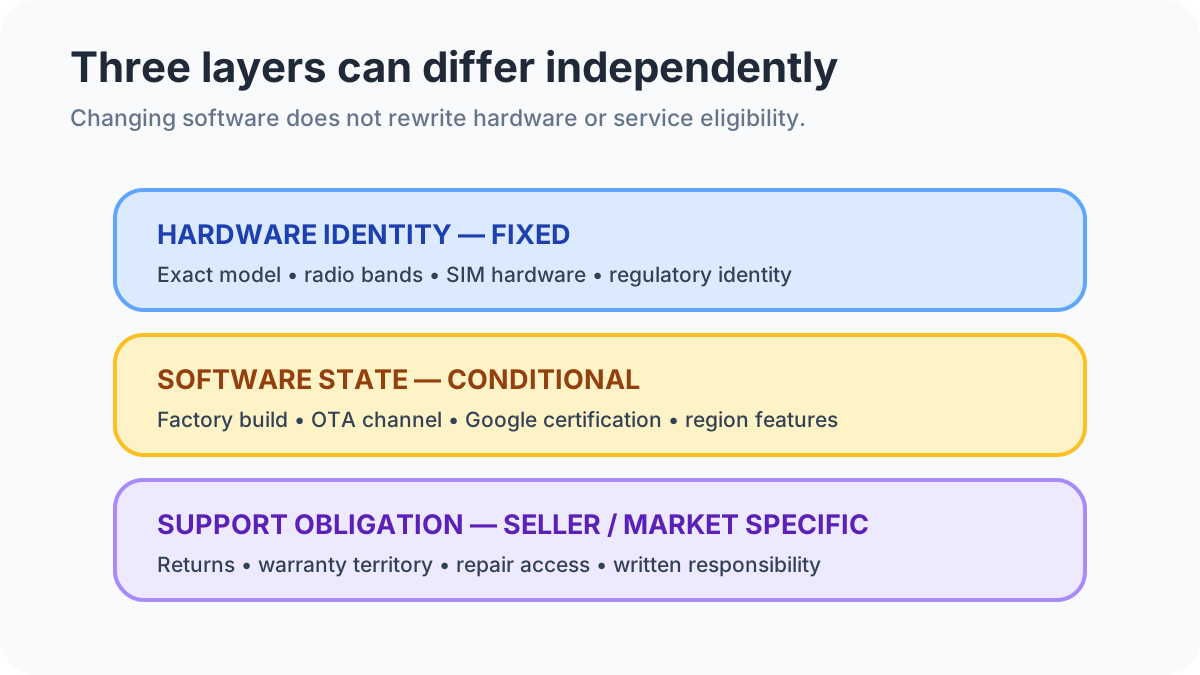
Device certification is separate from the Play Protect scanner that checks apps. Turning the scanner off does not clear a “Device is not certified” result. Google lists the common failure reasons as an unlocked bootloader, a modified Android OS, and a rooted device. The unlocked-bootloader row tells you to lock the bootloader using the manufacturer’s instructions. The modified-OS row tells you to flash the original manufacturer-signed build that came on the device. That is a check you ask the seller to pass before payment. It is not a reason to flash a phone yourself in order to change its sales market, its radio hardware, or its warranty.
Android’s certified-device page says manufacturers can choose to preinstall Google apps, and that Google certifies those devices.[3] The page describes hundreds of tests for the security and permissions model and for builds that carry recent security updates, and 100,000+ compatibility tests for Play Store apps. It tells shoppers to look for the Play Protect logo. If the device is not certified, Google says it has not ensured basic security features. The page also says product availability, features, and specifications vary by region, carrier, and device. Certification is a per-device record. A regional nickname does not settle it.
Google Play services, on the developer overview last updated 2026-10-15 UTC, are core background services that run on Google-certified Android devices.[4] The body of that page says devices running Android 7.0 or higher receive Play services updates when Play services is installed and storage is sufficient, and that devices older than Android 7.0, or devices without Play services installed, are not supported. The summary line on the same page says backward compatibility to Android 6.0. Both sentences are on the page. Use the About-screen certification result on the unit rather than picking one floor and applying it to every China Version or Global Version listing.
A seller’s “global ROM” line is a software-image claim. It is a different decision from the software family of the phone. That comparison sits in Pixel Android and Samsung One UI. Update length is different again. Read the stated policy for the exact model in how long an Android phone receives updates.
Scroll horizontally to read the labels in this diagram.
Check Android Auto, Wallet, and the SIM path one by one
Android Auto on a car display, with a USB cable, needs an Android phone on Android 11.0 or higher and an active data plan, plus a compatible car.[7] Wireless projection needs Android 11.0, an active data plan, and 5 GHz Wi-Fi. Google says Android Auto is integrated into the phone, and that it is absent on Android (Go edition). In the EU, 5 GHz Wi-Fi in the car has additional regulatory requirements. On Google smartphones, the same page says Pixel 3 and newer models comply. For any other phone, Google tells you to ask the manufacturer whether 5 GHz Wi-Fi is supported.
The same help page prints a place list and then says most features will not work outside those places. The names on the page fetched 18 October 2026 are Argentina, Australia, Austria, Belgium, Bolivia, Brazil, Canada, Chile, Colombia, Costa Rica, Denmark, Dominican Republic, Ecuador, France, Germany, Guatemala, India, Indonesia, Ireland, Italy, Japan, Mexico, Netherlands, New Zealand, Norway, Panama, Paraguay, Peru, Philippines, Poland, Portugal, Puerto Rico, Russia, Singapore, South Africa, South Korea, Spain, Sweden, Switzerland, Taiwan, Thailand, Turkey, United Kingdom, United States, Uruguay, and Venezuela. That is 46 places. China is not among them. Taiwan is. A China Version label does not, by itself, answer whether you will use the phone inside one of those 46 places.
Google Wallet’s in-store tap path asks you to confirm NFC support and Play Protect certification, then a screen lock.[8] Wallet does not run contactless payments on phones that run a developer Android build, are rooted, run a custom ROM, have modified factory software, are untested and not approved by Google, or have an unlocked bootloader. Google says to reinstall the original operating system before those payments. The NFC antenna position on a given phone sits near the top or the middle, so a missed tap is not proof the phone lacks NFC.
When the unit arrives, the first physical step is the tray and the account setup in how to set up a new Android phone.
Count warranty months only for the program that names the phone
An import can sit under four different promises at once: a regional manufacturer warranty, a named international program, a seller warranty, and a marketplace return window. Keep them in separate rows.
Xiaomi’s international warranty page is one manufacturer’s published program, fetched 18 October 2026.[9] It covers designated models at designated service centers in the markets set out in the model-specific policy. The buyer provides purchase proof and the warranty card. The local service center decides whether the phone meets the warranty conditions. In-warranty service under that program is free. Out-of-warranty parts and labor are charged by the center that does the work. The page does not print those prices. Xiaomi says appearance or function of some materials can differ because of national or regional systems, regulations, listing versions, and standards, and tells you to confirm details with the local center. The warranty period printed for this program is 24 months from the time of purchase. The page says the service is not sold separately for other models, and that a phone qualifies in principle when it was bought from official channels of the supported markets and activated locally.
These are the designated headings printed on that page:
Scroll horizontally to view all table columns.
| Heading printed on the Xiaomi IWS page |
|---|
| Xiaomi 17 Ultra / Leica Leitzphone powered by Xiaomi |
| Xiaomi 15 Ultra |
| Xiaomi MIX Flip |
| Xiaomi 14 Ultra |
| Xiaomi 13 Ultra |
| Xiaomi 13 PRO |
| Xiaomi 12 PRO |
The page links onward for each model’s market list. The regional warranty selector is a different page: it asks you to pick a location so you can find a local contact.[10] A country name on that selector is not, by itself, an international-warranty grant. For any brand other than this Xiaomi program, get that brand’s own written territory. Do not copy the 24-month figure across.
Worked example. Uncovered months for a named program are
Uncovered = H - W
H is the number of months you plan to keep the phone. W is the number of months that program actually grants this unit. Set H to 36 months as your planning horizon, not as a measured battery life or a tested lifespan. For a designated Xiaomi model bought from an official channel in a supported market and activated locally, W = 24 months. Uncovered = 36 - 24 = 12 months outside that program. For a model that is not one of the seven headings above, this program contributes W = 0. Uncovered = 36 - 0 = 36 months. The arithmetic does not price the repair, and it does not transfer the 24-month term to another brand.
The hidden bill is those uncovered months, plus three other items the listing usually skips. Verizon’s published wait is up to 24 hours after unlock before activation, which is lost use on that network rather than a fee. Xiaomi’s out-of-warranty parts and labor are charged locally, with no price on the IWS page. Return shipping exists only in the seller’s written terms. If those terms are missing, the return cost is unknown. That is the ledger to settle before you pay.
Keep the US authorization file separate from the nickname
If the phone will be marketed as a new device in the United States, 47 CFR 2.803 bars marketing a radio frequency device without a valid FCC equipment authorization. Marketing in that section includes sale, advertising, importation, and distribution for sale.[11] Online-marketplace duties to display an FCC ID have later dates printed in the notes: 1 March 2027 where the marketplace has physical access or takes title, and 1 June 2027 where it does not. Those display paragraphs skip used devices and sellers that are not high-volume third-party sellers. Ask for the FCC ID on a new-phone US listing. The marketing bar in the section is separate from those later display dates. A China sales market is a separate record from that US authorization. No China type-approval figure is in the saved sources.
Consumer cellular phones are in the general-population, uncontrolled exposure category. 47 CFR 2.1093 says the occupational time-averaging shortcut, based on maximum duty factor, is not used for typical exposure from portable devices intended for consumers, such as cellular telephones, and it allows source-based averaging over a period not to exceed 30 minutes.[13] The general-population limits in 47 CFR 1.1310 are 0.08 W/kg averaged over the whole body, and a peak spatial-average SAR of 1.6 W/kg averaged over any 1 gram of tissue.[12] Extremities, defined there as hands, wrists, feet, ankles, and pinnae, use 4 W/kg averaged over any 10 grams. General-population exposure is averaged over a period not to exceed 30 minutes. Section 2.1093 puts SAR evaluation on the path for a portable device with a single RF source when the available maximum time-averaged power is more than 1 mW.
Council Recommendation 1999/519/EC, note 7, says the localized SAR averaging mass is any 10 g of contiguous tissue.[14] The recommendation’s basic-restriction table is not present as text in the saved HTML, so this page does not state a numeric EU watt-per-kilogram limit.
The averaging masses are not interchangeable:
Ratio = 10 / 1
Worked example. The US general-population peak spatial-average limit prints 1.6 W/kg over 1 gram. The EU note averages localized SAR over 10 g. Ratio = 10 g / 1 g = 10. Multiplying the 1.6 W/kg figure by that ratio produces 16 W/kg. Dividing it produces 0.16 W/kg. Neither product is a measurement under the other rule. A report that omits the averaging mass cannot be placed under either statement.
Collect the proof before you pay
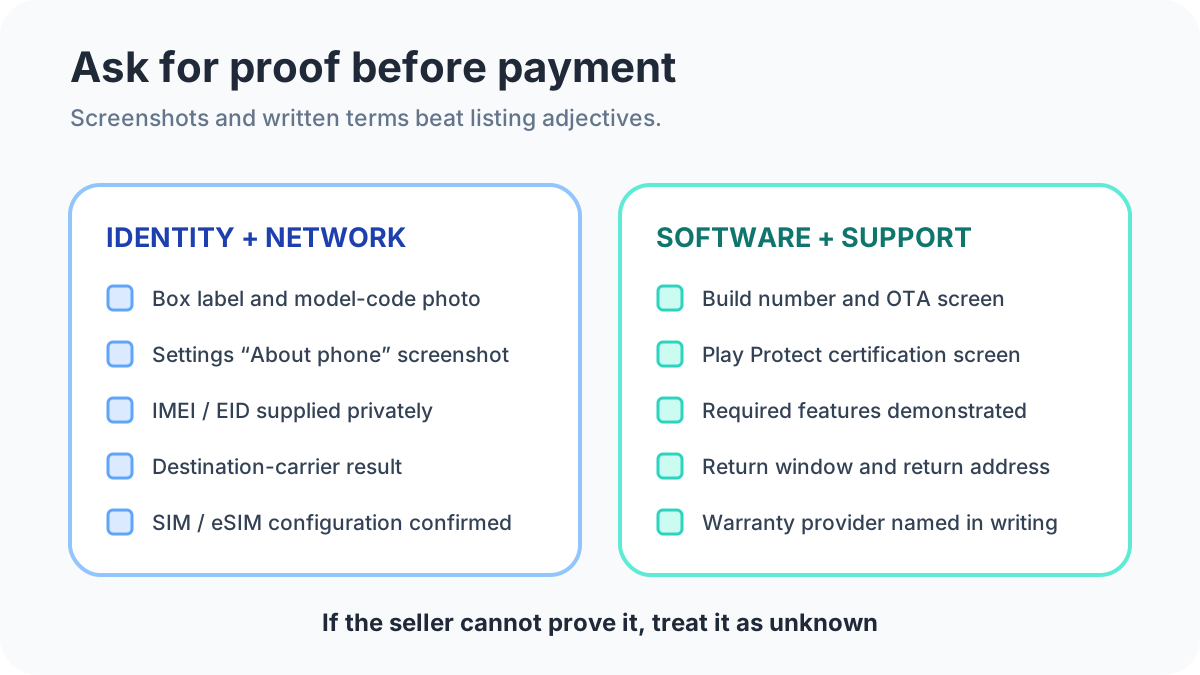
Put the records in one place and compare them to each other. The box, the About screen, the build, and the carrier result have to describe the same unit. A claim the seller cannot support stays unknown.
Scroll horizontally to view all table columns.
| Record to collect | What it decides |
|---|---|
| Photo of the retail-box label | Model identity and the market printed on the box |
| About phone screenshot | Model and build on the unit you will receive |
| Written original sales market | Which regional package the seller claims |
| Carrier device-ID result | Acceptance on the network you will use |
| SIM-tray photo and eSIM answer from the manufacturer | Whether the promised SIM layout is real |
| Play Store About screenshot | Play Protect certification on that unit |
| Written bootloader, root, and ROM state | Whether the failure reasons Google lists are already present |
| Written warranty territory and return terms | Who repairs the phone, for how many months, and who pays return shipping |
Scroll horizontally to read the labels in this diagram.
How this page was checked
The figures above come from official vendor and regulatory documents listed under Sources and methodology: Google’s Play Protect, supported-device, certified-device, Play services, Android Auto, Wallet, and SIM pages; Verizon’s bring-your-own-device FAQs; Xiaomi’s international warranty page and warranty location selector; 47 CFR 1.1310, 2.803, and 2.1093; and Council Recommendation 1999/519/EC. Where a page printed two different version floors, both are stated.
Sources & methodology14 sources
Evidence used for this article. Links open the original source in a new tab.
- Check and fix Play Protect certification status — Google Play Help
- Google Play supported devices — Google Play Help
- Play Protect certified Android devices — Android
- Overview of Google Play services — Google for Developers
- Bring your own mobile device FAQs — Verizon Support
- Add a SIM card — Android Help
- Get started with Android Auto — Android Auto Help
- Fix problems with tap to pay transactions — Google Wallet Help
- Xiaomi Smartphone International Warranty Service — Xiaomi Global
- Warranty location selector — Xiaomi Global
- 47 CFR 2.803 Marketing of radio frequency devices — eCFR
- 47 CFR 1.1310 Radiofrequency radiation exposure limits — eCFR
- 47 CFR 2.1093 Radiofrequency radiation exposure evaluation: portable devices — eCFR
- Council Recommendation 1999/519/EC — EUR-Lex
TasteOfAndroid is responsible for this page. The byline, method and commercial relationships are on the editorial policy and the author page.
Related Articles
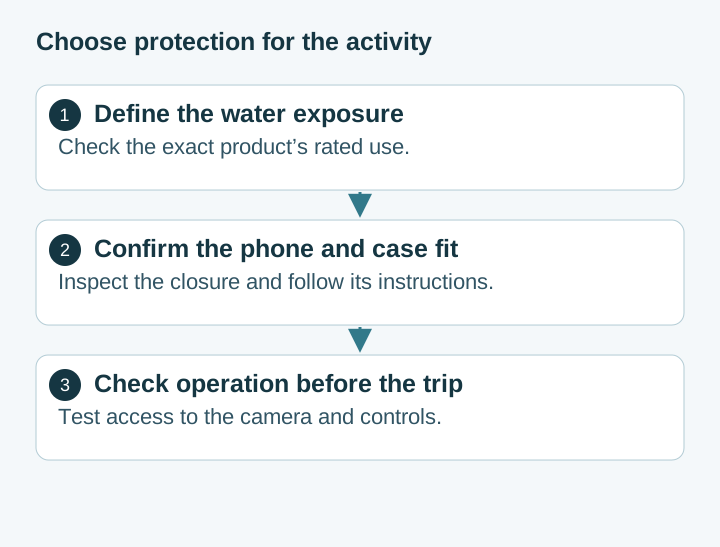
Choosing Waterproof Phone Cases: IP Ratings, Seal Condition and Fit
Compare rigid waterproof phone cases and pouches by model fit, manufacturer-rated use, closure condition and controls. Understand the limits of phone barometer checks.
Pocket Casts vs AntennaPod: Choose and Move Your Podcasts
Choose Pocket Casts or AntennaPod by playback controls and sync needs, then move subscriptions with OPML while protecting listening progress and settings.
Xodo vs Flexcil: PDF Annotation and Signing on Android
Study marks, a visual signature, and a signing request are different jobs. Follow the public steps, then reopen a copied PDF. These pages do not name a winner or a price.