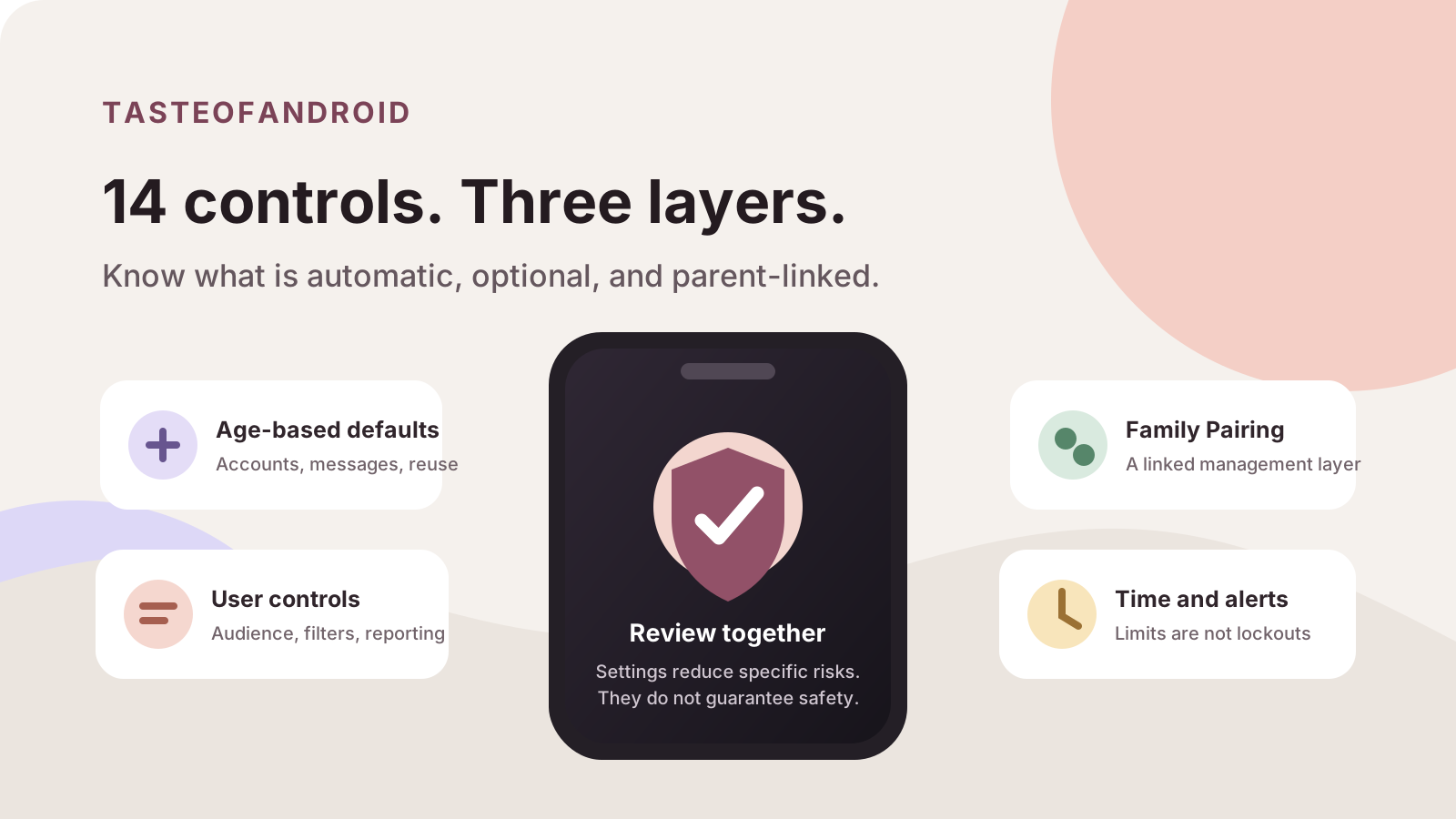
Quick answer: TikTok safety settings combine age-based defaults, controls a user can change, and the linked Family Pairing system. The 14 controls below can reduce specific kinds of contact, visibility, content exposure, and distraction. They do not prove that TikTok is safe, and they cannot guarantee a particular experience for every teen.
The 14-part structure is ours, not TikTok’s. Start with these actions:
- Confirm the account’s age band and public or private status.
- Check recent post audiences and interaction permissions.
- Review filters, screen time and notification quiet hours.
- Agree which supported settings Family Pairing should manage.
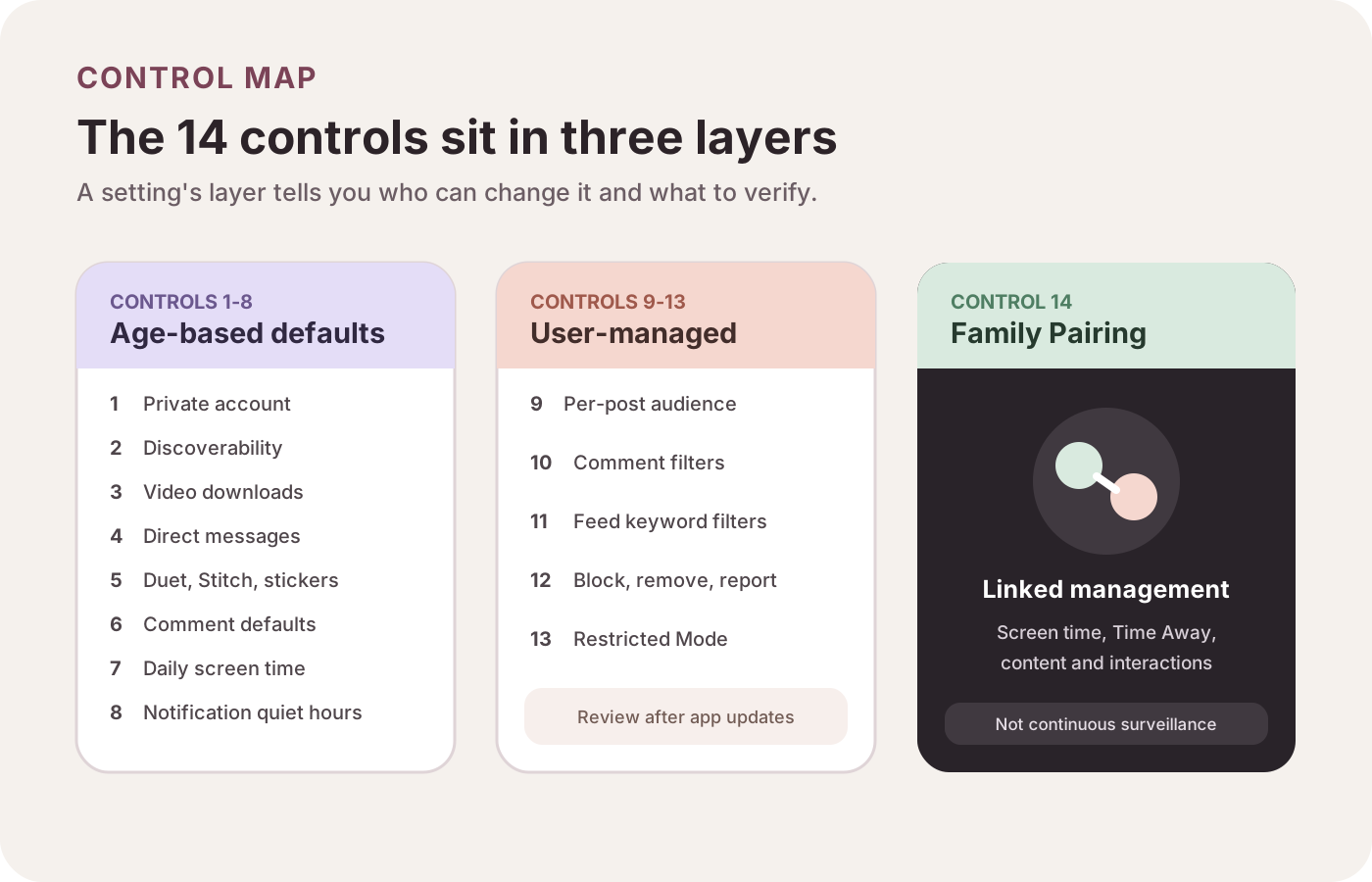
- Age-based defaults and gates form the starting point; review eligible user choices.
- Family Pairing manages supported settings rather than providing unrestricted surveillance.
Control checklist
- 1. Private account
Baseline: Ages 13 to 17 start private. Layer: A to U/F. Limit: Profile basics stay visible.
- 2. Account suggestions
Baseline: Off by default at 13 to 17. Layer: A to U. Limit: Not total anonymity.
- 3. Video downloads
Baseline: Unavailable at 13 to 15; conditional later. Layer: A to U. Limit: Does not stop all copying.
- 4. Direct messages
Baseline: Unavailable at 13 to 15; conditional later. Layer: A to U/F. Limit: Other contact routes exist.
- 5. Duet, Stitch, stickers
Baseline: Unavailable for content from ages 13 to 15. Layer: A to U. Limit: Covers in-app reuse.
- 6. Comments
Baseline: Varies by age and account status. Layer: A to U/F. Limit: Audience and filters differ.
- 7. Daily screen time
Baseline: 60-minute default under 18. Layer: A to U/F. Limit: Not a universal lockout.
- 8. Notification quiet hours
Baseline: 9 p.m. or 10 p.m. to 8 a.m.. Layer: A. Limit: Mutes pushes, not access.
- 9. Per-post audience
Baseline: Selected for each post. Layer: U. Limit: Cannot control viewer behavior.
- 10. Comment filters
Baseline: General and keyword filters. Layer: U. Limit: Can miss unwanted wording.
- 11. Feed keyword filters
Baseline: Supported feeds and regions only. Layer: U/F. Limit: Can miss variations.
- 12. Block, remove, report
Baseline: Different responses to different problems. Layer: U. Limit: Reports do not guarantee removal.
- 13. Restricted Mode
Baseline: Enabled per account. Layer: U/F. Limit: Not age verification or a complete blocker.
- 14. Family Pairing
Baseline: Linked settings management. Layer: F. Limit: Not unrestricted surveillance.
Layer key: A = automatic default or age gate; U = user control; F = supported Family Pairing management.
Eight controls shaped by age-based defaults
TikTok splits many teen settings into ages 13 to 15 and ages 16 to 17. The age band matters more than the generic label “teen account.”
1 and 2. Private accounts and reduced discoverability
Accounts for ages 13 to 17 start private. The owner approves followers, but the nickname, username, and profile photo remain visible. Private is not invisible.
Suggested-account settings also start off for teens, and TikTok says accounts under 18 are not suggested to mutual connections. This reduces discoverability but does not make the account anonymous. [1]
3 to 6. Downloads, messages, reuse, and comments
For ages 13 to 15, video downloads and direct messages are unavailable. Others cannot reuse these users’ videos for Duet, Stitch, or stickers. Comments can be limited to friends or no one.
At ages 16 to 17, more choices appear. Downloads remain off by default where eligible. Messaging, content reuse, and comment audiences depend on account privacy and user choices. [1]
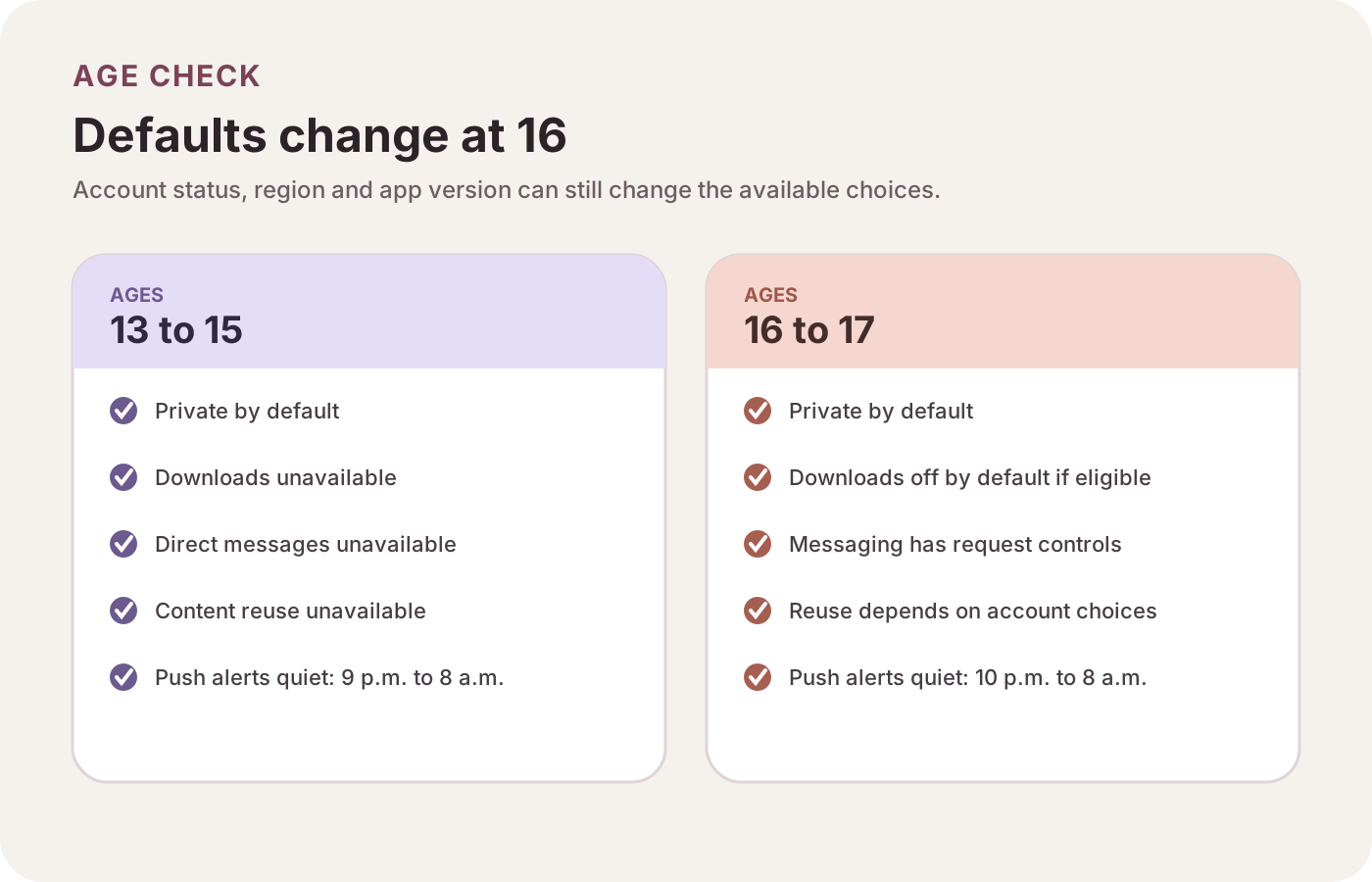
- Ages 13–15: downloads and direct messages are unavailable; content reuse is restricted.
- Ages 16–17: more choices become available; review privacy and interaction settings again.
Each control has a narrow job. Turning off downloads does not stop every form of copying, and limiting Duet does not change the original post’s audience.
7. A default daily screen-time limit
TikTok’s Guardian’s Guide says accounts under 18 get a default daily limit of 60 minutes. It adds friction, but it is not proof that a teen cannot continue, switch accounts, or use another device. [3]
8. Quiet hours for push notifications
TikTok documents overnight push-notification quiet hours from 9 p.m. to 8 a.m. for ages 13 to 15 and 10 p.m. to 8 a.m. for ages 16 to 17. These quiet hours mute TikTok push alerts. They do not block the app or turn on Android-wide Do Not Disturb. [4]
If other alerts disappear as well, diagnose the phone separately with our Android notifications troubleshooting guide.
Five controls teens can review themselves
Age-based defaults only get you so far. The next five settings deserve a look on the account itself.
9. Choose an audience for each post
Account privacy and post audience are not identical. Available choices vary, so check the audience shown on each post rather than relying only on the account-wide setting. [2]
10. Filter comments and custom keywords
Comment controls can limit who comments and hide selected or keyword-matched comments. Spelling variants and context make filters imperfect. Filtering is also different from reporting content that may break a rule. [2]
11. Add feed keyword filters
Feed keyword filters reduce recommendations with selected words or hashtags in supported feeds. Availability depends on region and feed, and not every variation is caught. It is a preference tool, not a complete barrier. [5]
12. Block, remove, and report
Blocking stops specific interactions, removing a follower changes the audience relationship, and reporting submits content or an account for review. Choose the action that matches the problem. [2]
An unfamiliar notification is not by itself evidence that an app is harmful. Our Android bloatware and unwanted-app guide explains how to separate annoying alerts from stronger security signals.
13. Turn on Restricted Mode when it fits
Restricted Mode limits some mature or complex themes. It is not a complete blocker, age-verification system, or suitability guarantee. Enable it for each account or manage it through Family Pairing. [6]
14. Family Pairing is a separate management layer
Family Pairing links an adult’s account to a teen’s. It covers screen time, Time Away, content preferences, keyword filters, search, interactions, and supported privacy settings. Options can vary. [7]
Think of it as shared settings management, not surveillance. Current documentation does not support claims of message-content access, complete watch history, deleted activity, or a live view of everything a teen does.
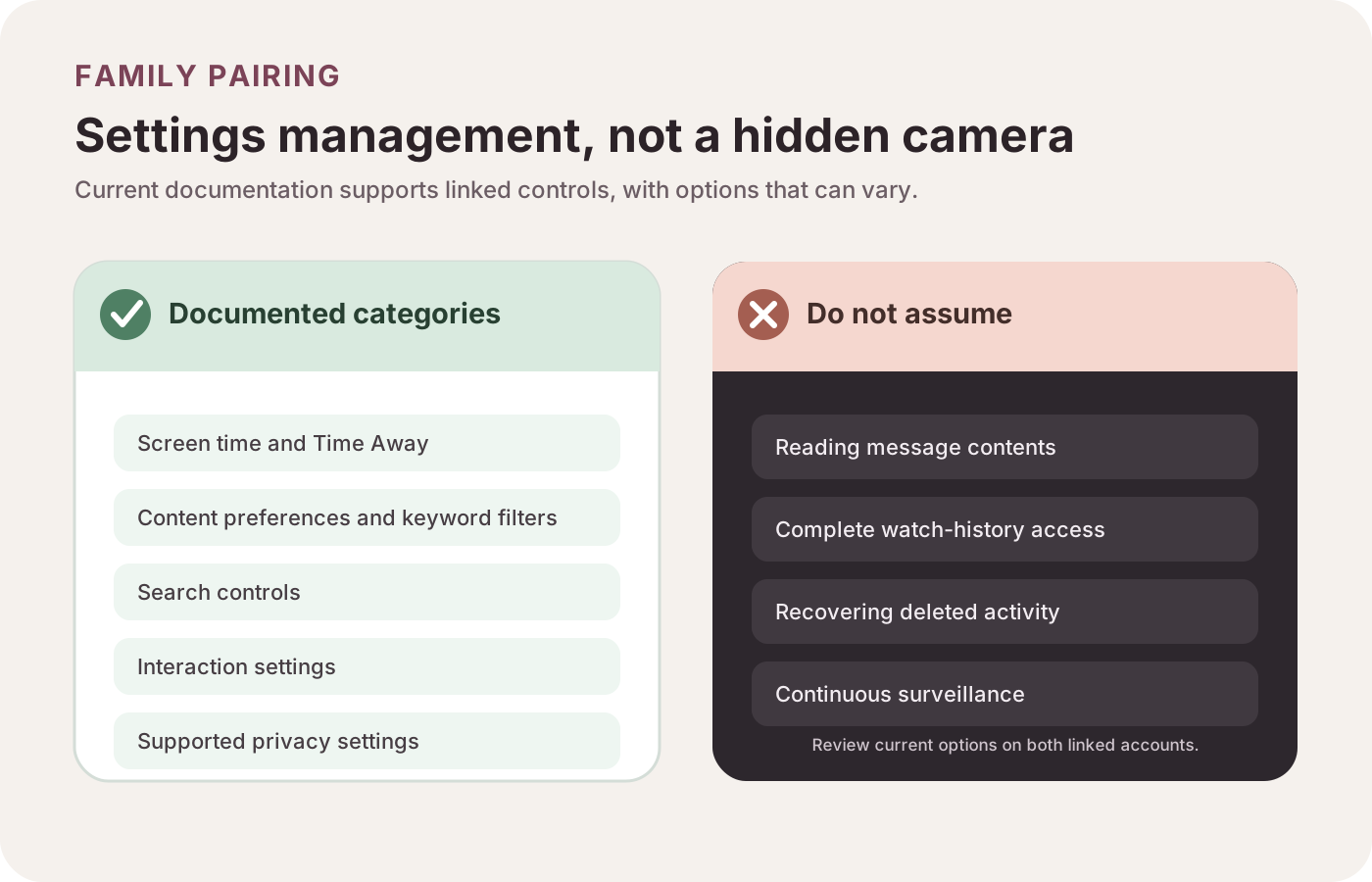
- Supported management includes screen time, content preferences and selected privacy settings.
- Do not infer access to message contents or deleted activity from Family Pairing.
A TikTok settings review
Use the current account and app. Menu names move, so focus on the setting, not a memorized path.
- Confirm age and status. Check the birth date and private or public setting.
- Review visibility. Check account suggestions, followers, and recent post audiences.
- Review interaction. Check messages, downloads, content reuse, comments, blocks, and reports.
- Review content and attention. Check filters, Restricted Mode, screen time, Time Away, and quiet hours.
- Pair with a purpose. Agree on which settings the adult will manage and revisit that choice as the teen gets older.
Repeat the review after a major app update, a change from private to public, a new phone, or an age-band change. When moving devices, our new Android phone setup checklist can keep the account and notification review from being forgotten.
The TasteOfAndroid take
Age-based limits, individual choices, and Family Pairing can work together. The catch is that each setting has a narrow job. Review them as a group instead of treating one switch as the answer.
Sources
The official references used in this explainer are listed in the source panel below. Present-tense instructions come from current Help Center and Safety Center pages.
Frequently Asked Questions
What safety settings does TikTok use for teen accounts?
TikTok combines age-based defaults and feature restrictions with settings that teens can change. These cover account visibility, discoverability, downloads, messages, content reuse, comments, screen time and notifications. Available choices vary by age, account status, region and app version.
Is a TikTok account private by default for teenagers?
Accounts for users ages 13 to 17 start private by default. A teen can change some settings when eligible, and a private account still shows the nickname, username and profile photo. Parents and teens should review both the account setting and the audience selected for individual posts.
What can TikTok Family Pairing control?
Family Pairing links a parent's or guardian's account with a teen's account and supports controls involving screen time, Time Away, content preferences, search, interactions and selected privacy settings. Its exact options can vary. It should not be treated as access to message contents, deleted activity or continuous surveillance.
Does Restricted Mode block all unsuitable TikTok videos?
No. Restricted Mode limits exposure to content with certain mature or complex themes, but TikTok does not present it as a complete filter or suitability guarantee. It needs to be enabled for each account, and it works best as one part of a broader settings review.
Can TikTok safety settings guarantee that a teen is safe?
No single setting or group of settings can guarantee safety. The controls can reduce specific kinds of exposure or contact, but they do not replace judgment, reporting, age-appropriate conversations or periodic reviews after account and app changes.
Sources & methodology7 sources
Evidence used for this article. Links open the original source in a new tab.
- Privacy and safety settings for users under age 18 — TikTok Help Center
- Community controls — TikTok Safety Center
- Guardian's Guide — TikTok Safety Center
- Notifications — TikTok Help Center
- Safety and civility — TikTok Help Center
- Restricted Mode — TikTok Help Center
- Family Pairing — TikTok Help Center